Zite is an AI no-code platform for building business apps, databases, forms, and workflows. It promises to help nontechnical teams create internal tools, portals, CRMs, dashboards, approval systems, and other operational software from plain-language instructions.
Its combination of AI generation, a built-in database, visual workflows, authentication, managed hosting, and unlimited users is compelling. The tradeoff is equally important: Zite applications remain on Zite's infrastructure, and the platform does not currently offer source-code export or self-hosting.
Curious how it stacks up against Willo? Check out our comparison between Zite and Willo.
This Zite review examines how the platform works, what it costs, what users say, where it performs well, and who should consider an alternative.
Zite review: the quick verdict
Zite is a strong option for operations teams, support teams, and small or midsize businesses that want to create browser-based business software without hiring developers. It is particularly attractive for internal tools because every current plan includes unlimited users, editors, apps, and databases.
Zite is less suitable when source-code ownership, self-hosting, native mobile development, complex consumer software, or an independently controlled technical stack is essential. It also requires careful credit management when a project involves frequent AI-generated changes.
| Review area | Assessment |
|---|---|
| AI app generation | Strong for structured business apps and internal tools |
| Database | Built in, visible, and integrated with apps and workflows |
| Workflows | Native visual logic with schedules, webhooks, and run history |
| Permissions | Good business-app controls, with advanced features tied to higher plans |
| Visual editing | Useful manual controls that do not consume AI credits |
| Collaboration | Unlimited users and editors on every standard plan |
| Hosting | Fully managed by Zite |
| Code ownership | Limited because there is no source-code export or self-hosting |
| Pricing | Competitive entry price, but credits and usage limits require planning |
| Best fit | Internal tools, portals, dashboards, CRMs, inventories, and operational systems |
What is Zite?
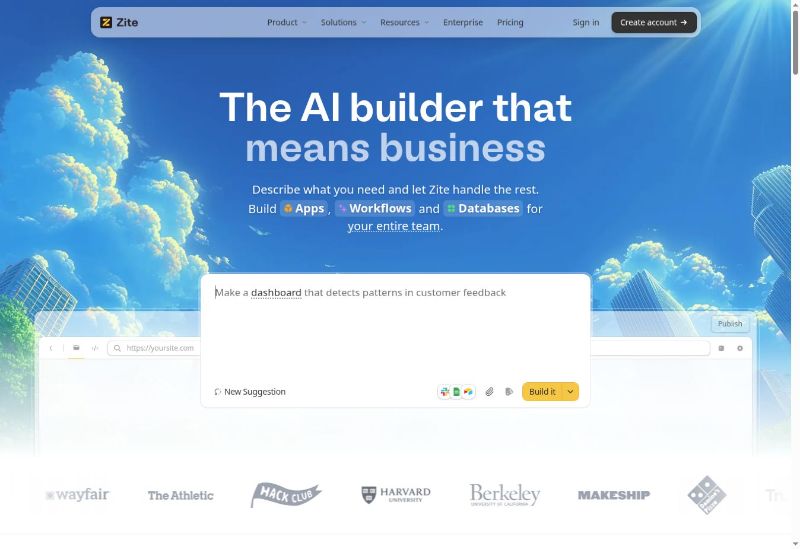
Zite describes itself as "the AI builder that means business." Users explain the software they need, and Zite generates a working application with pages, data, workflows, and access controls.
Zite comes from the company behind Fillout. In March 2026, Fillout announced that its parent company was becoming Zite, while Fillout would continue as a separate product under the Zite umbrella.
Zite is designed primarily for business software, including:
- Internal dashboards and admin tools
- Customer, vendor, employee, and client portals
- CRMs and lead-management systems
- Inventory and asset trackers
- Approval and request systems
- Project and task applications
- Support and operations tools
- Forms, bookings, document, and payment workflows
- Apps connected to existing company data
Zite is not the discontinued news-aggregation app that previously used the same name. The current product at zite.com is an AI no-code business application platform.
How Zite works
A Zite project begins inside a Workspace. The Workspace can contain a shared database, one or more internal or public-facing applications, workflows, members, and access controls.
1. Describe the application
The starting prompt should explain who will use the application, what information it needs, which screens are required, and what should happen when users take actions.
For example, an operations team might request a field-service application with customer records, technician schedules, jobs, parts inventory, completion forms, and manager dashboards.
Zite can also use uploaded files, connected data, and a brand theme when generating a project.
2. Review the plan
Zite supports Chat, Plan, and Build modes. Plan mode lets users examine a proposed change before implementation. Zite specifically recommends this approach for features involving several screens, workflows, database changes, roles, or permissions.
Planning first can prevent unnecessary builds and reduce wasted credits. A user can remove unneeded screens, correct the data model, or clarify access requirements before asking Zite to implement the plan.
3. Generate the app and database
Zite creates the interface, database tables, relationships, workflows, and initial access behavior. Users can then test the application and inspect its data and logic.
The platform's native database serves as a shared source of truth for apps in the Workspace. It can store customers, tasks, assets, orders, requests, or other structured records.
4. Edit with AI or manual controls
Users can ask the AI agent to add features, create pages, revise copy, update workflows, explain the project, or make selective changes.
They can also edit text, colors, spacing, layout, and themes manually. These manual design changes do not consume AI credits, which makes them useful for small corrections and ongoing maintenance.
5. Configure access and publish
Zite supports internal and public apps, login, user management, access rules, and data permissions. Once an app is ready, the user can publish it to a Zite-hosted address or connect a custom domain on a paid plan.
Zite manages hosting, deployment, and runtime infrastructure. There is no separate server setup, but the application remains dependent on Zite's platform.
Key Zite features
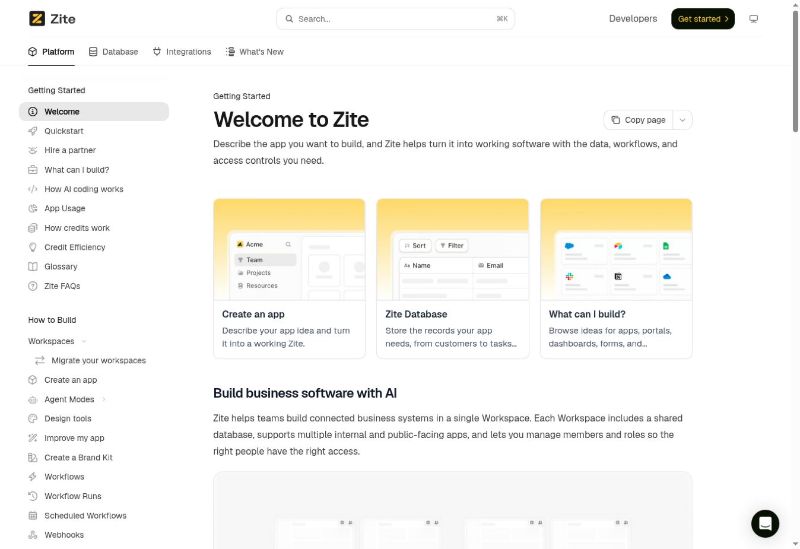
AI app builder
The AI agent is Zite's primary creation interface. It can plan and build apps, revise pages, create workflows, modify data structures, and explain how a project works.
This approach is most effective when the requested software follows a clear business process. A CRM, inventory system, approval tool, or support dashboard has identifiable records, users, statuses, and actions. Vague or highly novel consumer-product ideas may require more iteration or exceed the platform's intended scope.
Native database
Zite includes its own database on every plan. Users can manage records and use the same data across several apps in a Workspace.
Every current plan allows unlimited databases, but the total number of records is capped:
| Plan | Total database records |
|---|---|
| Free | 5,000 |
| Pro | 100,000 |
| Business | 250,000 |
| Team | 1,000,000 |
| Enterprise | 1,000,000+ |
The record limit applies across the organization's Zite databases, not separately to every database. A team migrating a large spreadsheet collection or operational system should estimate the total record count before selecting a plan.
Visual workflows
Zite workflows define the backend actions behind an application. They can respond to app activity, run on schedules, receive webhooks, update database records, and connect to external systems.
Zite documents authenticated workflows that allow only signed-in users and expose the current user's identity and profile data to the workflow. Webhook examples include processing Stripe events, saving payment information, and updating a dashboard.
Users can inspect workflow runs and logic rather than treating every automation as an invisible AI-generated process. This is valuable for nontechnical operators who need to understand why a business action succeeded or failed.
Authentication and user access
Zite applications can require users to sign in. Builders can add approved users, control who may register, create custom access rules, and connect app users to database information.
The platform distinguishes workspace and project members from people who use a published app. It also supports internal and public-facing applications.
Enterprise customers can configure app-level single sign-on with identity providers such as Okta, Microsoft Entra ID, and Google Workspace.
Roles and data permissions
Zite roles can control access to data by table and action, including viewing, creating, editing, and deleting records. User groups and custom access rules can support more specific business logic.
The documentation currently notes that "Use" permissions are not implemented for databases in the same way they are for apps. Organizations with detailed authorization requirements should test the precise role structure instead of assuming every permission pattern is supported.
Forms and Fillout integration
Zite can connect with Fillout, the form product maintained under the same company umbrella. This can add:
- Branded forms, surveys, and quizzes
- Booking calendars
- E-signatures
- File and video uploads
- Payment collection
- Submission-triggered notifications and automations
- Automatically generated PDFs
The connection is particularly useful when a portal or internal app needs advanced data collection without recreating every form interaction inside the app.
Data connections, webhooks, and APIs
Zite can connect existing business data, use inbound webhooks, and provide API capabilities depending on the plan.
The Create Zite API can generate a new Zite programmatically from a text prompt. The request can include files, a theme, and a project name, and the API returns a claim link for the generated project.
Businesses should verify that each required integration is available and determine whether it is a native connection, a webhook workflow, or a custom API implementation.
Brand kits and visual design
Brand kits provide reusable identity settings for apps. The design tools support themes, logos, colors, fonts, layout changes, and targeted edits.
Zite's visual controls are designed for business interfaces rather than unrestricted front-end development. That can make routine maintenance easier, but teams seeking highly experimental interactions or complete control over every implementation detail may prefer a code-oriented product.
Managed hosting and custom domains
Zite handles hosting and deployment. Free projects can use a Zite-provided address. Paid plans support custom domains, with Pro allowing one and Business allowing unlimited custom domains.
Managed hosting removes server administration and deployment work. The corresponding limitation is portability: Zite's official comparison content states that apps cannot be exported as source code or self-hosted.
Security and enterprise controls
Zite's homepage states that the platform is SOC 2 Type II compliant and uses 256-bit AES data encryption. The Business plan includes AI training opt-out by default. Higher tiers add features such as granular permissions, enforced two-factor authentication, audit logs, SSO, priority support, and custom agreements.
These claims should be treated as inputs to a security review, not a replacement for one. Organizations processing regulated, confidential, or high-risk data should request current compliance documentation and review encryption scope, data residency, subprocessors, backups, retention, access practices, and contractual terms.
Zite pricing and plans
Zite offers Free, Pro, and Business standard plans, plus Team and Enterprise Scale plans.
Standard plans
| Plan | Price | Credits | Records | Workflow runs | Storage | Notable features |
|---|---|---|---|---|---|---|
| Free | $0 | 50/month | 5,000 | 1,000/month | 1 GB | Unlimited users, apps, editors, and databases; 1 brand kit |
| Pro | $15/month billed annually | 100+/month | 100,000 | 5,000/month | 10 GB | 1 custom domain and removal of Zite branding |
| Business | $55/month billed annually | 200+/month | 250,000 | 50,000/month | 100 GB | Unlimited custom domains, advanced AI models, training opt-out by default, and white-label emails |
Scale plans
Zite's Team and Enterprise plans are designed for larger usage and more advanced controls.
| Limit | Team | Enterprise |
|---|---|---|
| Monthly credits | 800+ | Custom |
| Database records | 1,000,000 | 1,000,000+ |
| Workflow runs | 250,000/month | Unlimited |
| Attachment storage | 100 GB | 1 TB+ |
Pricing for Team and Enterprise is not publicly fixed on the standard pricing page. Buyers need to contact Zite.
How Zite credits work
Credits pay for usage-based AI features. Zite documents credit use for:
- Building and modifying apps through Chat, Plan, or Build mode
- The database agent
- AI fields in databases
- Applications using AI through a Zite API key
- Document generation
The following actions currently do not consume credits:
- Manual text, color, spacing, and layout changes
- Applying a theme
- Standard database storage and operations
- Visits to published applications
- Workflow runs from the editor
- The "Fix it for me" error-repair action
Credit requirements vary with the amount and complexity of work. A team expecting repeated generation, debugging, or large design changes should test a representative project before assuming the included credits will be sufficient.
Zite pros and cons
Pros
- Business-focused AI generation: Zite is designed for practical tools such as portals, CRMs, dashboards, and trackers.
- Integrated data layer: The native database is visible and shared across apps in a Workspace.
- Visual workflow logic: Nontechnical teams can inspect and maintain backend processes without reading source code.
- Unlimited users: Every current standard plan allows unlimited users and editors.
- Unlimited apps and databases: Plans limit usage rather than charging for each app or database.
- Manual editing without AI credits: Routine design adjustments do not consume the monthly AI allowance.
- Managed hosting and authentication: Teams do not need to configure deployment infrastructure for standard Zite apps.
- Useful Fillout connection: Forms, bookings, signatures, payments, uploads, and PDF generation can extend business workflows.
- Enterprise access options: Higher plans offer SSO, audit logs, stronger permissions, and custom agreements.
Cons
- No source-code export: Applications cannot currently be exported as a conventional codebase.
- No self-hosting: Zite apps depend on Zite's managed infrastructure.
- Credit-based iteration: Frequent prompting and large AI changes may require more credits than expected.
- Narrow product fit: Zite is aimed at browser-based business software, not native mobile apps, games, social platforms, or highly customized consumer products.
- Evolving permission behavior: Some database and access-control behavior is still being documented or developed.
- Limited independent review volume: There is not yet enough third-party feedback for high-confidence reputation conclusions.
- Potential migration work: Leaving the platform would require rebuilding the application elsewhere rather than transferring an exported repository.
Zite limitations and challenges
Platform lock-in is the central tradeoff
Zite's managed platform is convenient because the company handles hosting, deployment, authentication, database services, and workflow execution. The same architecture makes the application less portable.
Organizations cannot currently export the source code or run the complete application on their own infrastructure. A company that later needs self-hosting, a conventional development workflow, or an independent deployment pipeline would need to recreate the application.
Before adopting Zite for a critical process, document how application data can be exported and estimate the cost of rebuilding the interface and logic if requirements change.
Credits can complicate development estimates
The monthly credit allowance is not equivalent to a fixed number of features. Credit usage depends on the work requested. A carefully planned application with manual follow-up edits may be economical, while repeated broad prompts and debugging cycles may use credits quickly.
Plan mode, focused prompts, clear data requirements, and manual visual changes can reduce unnecessary consumption.
No-code does not remove process design
Zite can implement an application quickly, but the business still needs to decide:
- Which records and fields are required
- Who should access each type of data
- Which actions require approval
- How errors and failed workflows are handled
- What audit history must be retained
- How the system will be tested and governed
A weakly defined process can become a weak application faster. AI generation reduces construction time but does not replace operational judgment.
Complex or consumer apps may exceed the intended scope
Zite's own product comparisons position it for internal and business-facing software rather than native mobile, consumer social, game, or highly bespoke SaaS development.
A team can still prototype a public experience, but it should validate performance, customization, integration, scaling, engagement, and mobile requirements before treating Zite as the long-term production platform.
Security requires configuration as well as platform controls
Authentication and compliance claims do not automatically make every generated application secure. Builders still need correct permissions, safe integration credentials, least-privilege data access, input validation, appropriate retention, and testing.
High-risk applications should undergo an independent technical and security review before production use.
Who Zite is best for
Zite is a strong fit for:
- Operations teams replacing spreadsheets and manual processes
- Support teams building internal consoles or customer portals
- Small and midsize businesses creating custom operational software
- Teams that need dashboards, CRMs, inventories, approval systems, or request tools
- Organizations with many app users that want to avoid per-user pricing
- Nontechnical teams that want visible databases and workflow logic
- Businesses that prefer managed hosting and do not require source-code ownership
- Agencies building managed tools for clients who will remain on Zite
Who may want a Zite alternative
An alternative may be more suitable if you:
- Need an owned GitHub repository or downloadable source code
- Must self-host or deploy inside a private cloud or regulated environment
- Are creating a native iOS or Android application
- Need a consumer social platform, game, or unusually complex SaaS product
- Want a visual website builder rather than a business-app platform
- Need an open-source development stack
- Want AI to research, launch, market, and help operate an entire business, not only build an app
- Expect conventional developers to take over the codebase later
Willo as a Zite alternative
Willo is relevant when the intended outcome is broader than a business application.
Willo is an AI business builder. Users describe the business, website, app, workflow, or system they need, and Willo's agents can research, build, launch, and help operate it. Every Willo plan starts with a provisioned backend, including Free. Paid plans build on that with the Autonomous Growth Engine, Stripe Connect revenue tools, email and contact features, and built-in analytics.
Willo also documents agents for product, research, marketing, content, support, and finance. That makes it suitable for people who want the app, website, payments, content, marketing, and operating system coordinated around the same idea.
| Zite | Willo |
|---|---|
| Specialized no-code platform for apps, databases, and workflows | Broad AI system for businesses, websites, apps, automations, and operations |
| The user or team builds and maintains the application in Zite | The user directs agents, reviews work, and approves important actions |
| Unlimited users and apps on every standard plan | Plans are structured by credits and number of businesses |
| Managed hosting with no source-code export | Willo states that customers own the GitHub repository and business assets |
| Better for internal tools and visual workflow maintenance | Better for delegated business creation and wider operational work |
Willo is the stronger alternative for a founder, operator, solopreneur, agency, local business, or nontechnical idea owner who wants broader execution and repository ownership.
Frequently asked questions
What is Zite used for?
Zite is used to build browser-based business software, including internal tools, dashboards, CRMs, portals, inventory systems, approval workflows, project tools, and data applications.
Is Zite free?
Yes. Zite's Free plan currently includes 50 monthly credits, unlimited users and apps, 5,000 database records, 1,000 workflow runs per month, and 1 GB of attachment storage.
How much does Zite cost?
Pro costs $15 per month with annual billing, and Business costs $55 per month with annual billing. Team and Enterprise pricing requires contacting Zite. Monthly billing and higher credit selections may have different prices.
Does Zite charge per user?
No. Zite's current pricing page states that all plans include unlimited users and editors. Plans instead impose limits on AI credits, database records, workflow runs, storage, domains, and advanced features.
Can I export Zite code?
No. Zite's current official materials say applications remain on Zite's infrastructure and cannot be exported as source code or self-hosted.
Can Zite build mobile apps?
Zite builds web-based business applications that can be accessed through a browser. Its own comparison content says the platform is not designed for native mobile applications.
Does Zite include a database?
Yes. Every current Zite plan includes unlimited databases. The total number of stored records depends on the plan.
Does Zite support authentication?
Yes. Zite supports login, app users, custom access rules, groups, and data permissions. Enterprise customers can use app-level SSO with supported identity providers.
Is Zite secure?
Zite states that it is SOC 2 Type II compliant and uses 256-bit AES data encryption. Security also depends on how each application, permission model, integration, and data workflow is configured. Organizations should conduct their own review for sensitive use cases.
Is Zite good for a CRM?
Yes, a CRM is a strong Zite use case because the platform can combine structured customer records, role-based interfaces, dashboards, forms, and workflows. Large or highly specialized sales organizations should test reporting, integration, scale, and governance requirements before replacing an established CRM.
Final verdict
Zite is a capable AI no-code builder for practical business software. It combines prompt-based generation with a native database, visual workflows, manual design controls, authentication, access rules, managed hosting, and unusually generous user allowances.
Its best use cases are clear operational systems: portals, CRMs, dashboards, trackers, approval tools, and internal apps. Teams can create and maintain these systems without becoming conventional software developers.
The main limitation is ownership and portability. Zite does not currently provide source-code export or self-hosting, so organizations trade technical independence for a managed experience. Credit usage, evolving permission behavior, and limited independent review history also deserve careful testing.
Choose Zite when your team wants to build and operate business apps in one no-code platform. Consider an alternative when you need an owned codebase, native mobile software, a highly customized consumer product, or AI support across the entire business.
If that broader business-building model is what you need, explore Willo.