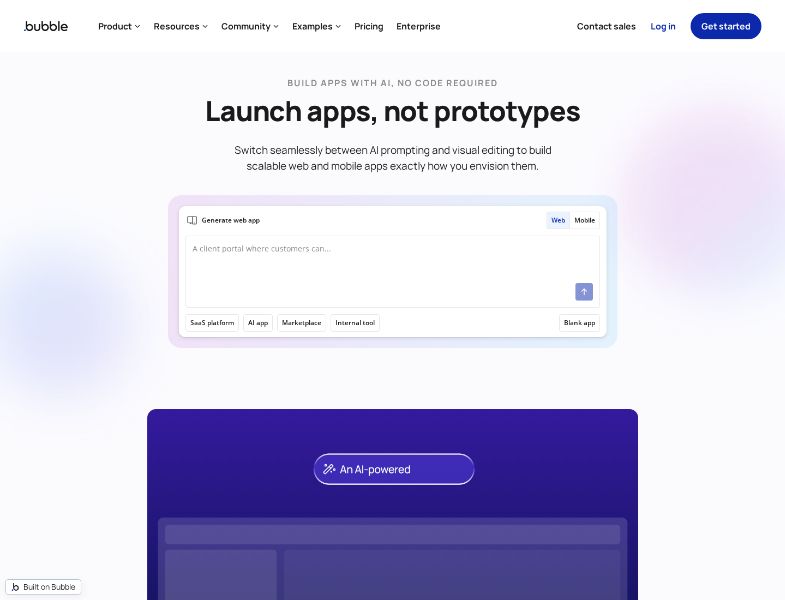
Bubble is a no-code platform for building full-stack web apps and, more recently, native iOS and Android apps. In 2026 the homepage leads with AI: describe an app, get UI, logic, and a database, then keep editing in a visual editor. Hosting, a built-in database, workflows, privacy rules, plugins, and store publishing sit in the same product.
That is a different job from an AI company-in-a-box. Bubble is strongest when you need a real application — marketplace, SaaS, internal tool, community — and you are willing to learn a visual programming model. It is a weaker match if you mainly need research, a brand, a marketing site, Stripe, and agents that keep operating the business after publish.
Curious how it stacks up against Willo? Check out our comparison between Bubble and Willo.
What is Bubble?
Bubble is built by Bubble Group, Inc. The about page describes it as an AI app platform that lets anyone build web and mobile apps visually, without code. They claim 6 million builders, 8 million apps, and 8,000 plugins, and show logos such as Unity, Paramount, Amazon, Yamaha, L'Oréal, Danone, and Seagate.
The product is not a website builder. Official feature pages split the stack into:
- Design — responsive visual editor
- Data — built-in database and privacy rules
- Logic — workflows and expressions
- AI — generator and AI Agent
- Mobile — native iOS/Android (marketing page still says beta)
- Collaboration — version control
- Security — SOC 2 Type II, GDPR DPA, security dashboard
Apps run on Bubble’s cloud. You do not download a conventional code repo and host it on Vercel.
How Bubble works
- Start from a prompt or a blank app. The homepage and AI page let you generate a web or mobile app (examples: SaaS, AI app, marketplace, internal tool) or start empty.
- Edit visually. Pages, elements, responsive settings, and a component library. You can also bring work over via Figma to Bubble.
- Define data. Custom types, fields, user accounts, option sets, file uploads. Privacy rules control who can see or change a record.
- Wire workflows. “When this button is clicked…” chains: sign the user up, create a record, charge Stripe, send email, schedule a backend job.
- Use AI when you want speed. The AI Agent (officially marked beta) can add features, connect APIs (examples named: Stripe, Anthropic), build backend logic, and attempt fixes. Everything it builds remains in the visual editor.
- Preview and debug. Web and mobile debuggers; on-device testing for mobile.
- Go live on a paid plan. Custom domain and live website are paid-plan items. Native store builds, multiple live versions, and OTA updates require a paid Mobile or Web + Mobile plan.
- Scale on workload. Usage is measured in workload units (WU) — the work Bubble does for page loads, searches, workflows, and API calls — not a simple “number of users” cap.
The Free plan is a development sandbox. Official docs: you can build and test without a paid plan; you need a paid plan to run a live custom-domain site or keep a mobile app live in the stores.
Key features
AI app generator and AI Agent
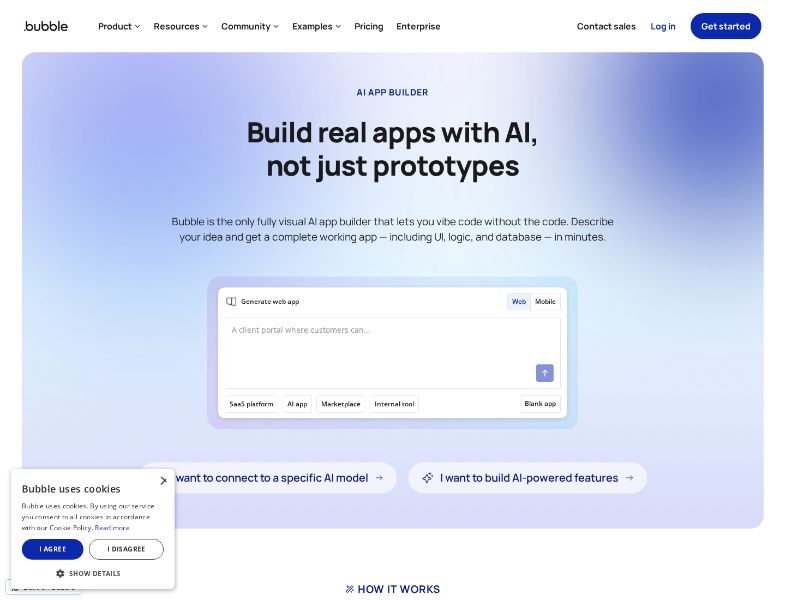
Bubble’s positioning is “vibe code without the code.” Official claim: unlike tools that emit source files you cannot maintain, Bubble generates an app you can inspect and edit from day one.
The Agent is a chat layer on top of that model. It is useful for scaffolding and for people who do not want to start from a blank workflow. It is not a substitute for understanding privacy rules and WU. Official pages still label the Agent beta.
Visual design
Drag-and-drop UI, responsive layouts, reusable components. This is closer to an IDE for interfaces than to a marketing-site canvas. G2 reviewers often praise how fast a working UI comes together once the model clicks — and complain about quirks in expressions and layout.
Built-in database
No separate Firebase/Supabase setup is required. You get users by default, custom types, searches, bulk operations, file storage, and privacy rules. You can expose the app as an API and connect out via the API connector or plugins (official examples include Stripe, OpenAI, Slack, Salesforce).
Workflows and automation
Frontend and backend workflows, scheduled jobs, custom events, conditionals, and “turn the app into an API.” Recurring workflows appear on paid pricing cards, not on Free.
Native mobile
The mobile page describes prompt-to-native-app for iOS and Android, shared backend with web, store publishing, and OTA updates (changes that do not need a new store submission). Docs are stricter than the ads:
- Building and testing: Free is enough.
- Live deploy, TestFlight/Play testing of a live version, and store publish: paid Mobile or Web + Mobile plan.
- Removing the mobile plan pauses live versions; after 14 days a new build is required.
- Build allotments and concurrent live versions scale by tier (Starter 3 live versions / 5–10 builds, up to Team 8 versions / 20–25 builds).
The marketing page still says beta.
Plugins, templates, experts
Homepage: 8,000 plugins. Marketplace includes Bubble-made and third-party plugins (free, monthly, or one-time). Templates and an experts/coaches directory exist because non-trivial apps usually need both.
Collaboration and Agency
Version control is basic on Starter and premium on Growth (per the public pricing page). Team adds sub apps. An Agency account is a separate, seat-based path for people who build many client apps; docs say live deployment still requires the app on a client paid plan.
Security
From bubble.io/security (August 2026):
- SOC 2 Type II
- GDPR-compliant DPA
- Security dashboard: on-demand or scheduled scans of elements, workflows, settings, plugins; privacy-rule checker; remediation steps
- Encryption and role-based access (page positioning)
Enterprise adds choice of hosting location, customizable servers, and dedicated support.
What you do not get
Official ownership article:
- You own app design and user data (subject to your own user agreements).
- Bubble owns the platform code.
- No export of the application as code. Leave, and you rebuild logic. Data export is CSV and/or the Bubble API. Bubble says it can help export design.
- Contingency: if Bubble were discontinued, it says the platform source would be open-sourced for self-hosting.
Bubble also does not, by itself, research your market, write a brand system, or run a weekly content/email operation. Those are your job or another product’s.
Pricing and plans
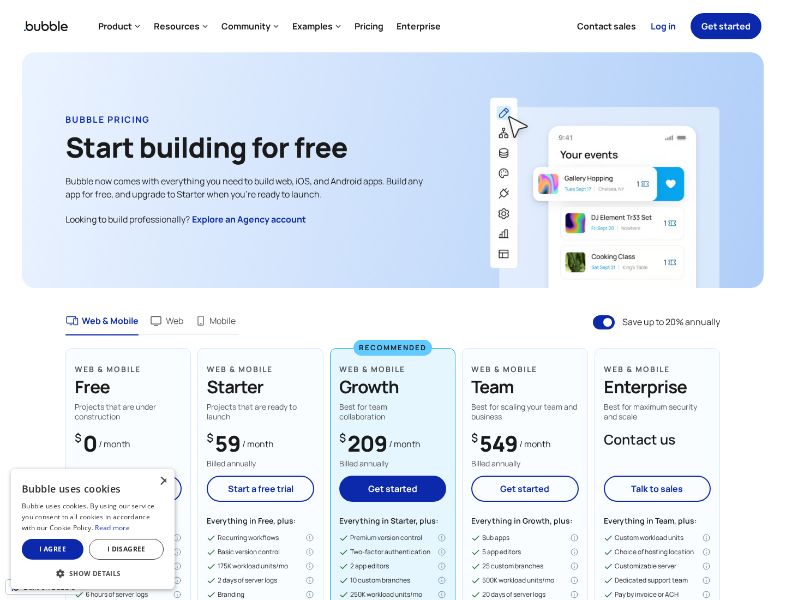
| Plan | Web only annual / monthly | Mobile only annual / monthly | Web + Mobile annual / monthly |
|---|---|---|---|
| Free | $0 (development) | Build/test free | — |
| Starter | $29 / $32 | $42 / $49 | $59 / $69 |
| Growth | $119 / $134 | $169 / $199 | $209 / $249 |
| Team | $349 / $399 | $449 / $529 | $549 / $649 |
| Enterprise | Custom | Custom | Custom |
Billing mode
- Plans are per project. One project can cover web, mobile, or both if they share backend. Two separate projects = two plans.
- 14-day Starter trial on new apps, started within 10 days of creation. $1 card pre-authorization (hold, not a charge).
- Cancel anytime; the plan stays active through the billing cycle. Overages can still accrue until the cycle ends if they are enabled.
- Student and nonprofit discounts: contact Bubble.
Workload
- WU measure server work. Count resets each calendar month.
- Paid apps include 100,000 WU/month for Development. Live WU included in each tier was not published as a single clean number on the pages fetched for this review.
- Need more: buy a workload tier, or enable flexible overages at $0.30 per 1,000 WU (no-tier rate).
- Free and Agency cannot buy tiers or overages.
- Disable overages and hit the cap: the app goes offline until you add WU or the next period starts.
- Email alerts at 75% and 100% of available WU.
Other add-ons
- File storage: $3 / month per 100 GB over the plan include.
- Bandwidth (docs): Free 1 GB, Starter 100 GB, Growth 500 GB, Team 1 TB.
- Paid plugins are extra.
G2’s vendor-provided pricing snippet matches Free + Starter from $29/month.
A Bubble blog post on app cost (updated 2026) also mentions AI-powered visual development “starting at $29 per month” in one place and a $59 web-plan example in another. Prefer the docs table over the blog when they disagree.
User feedback and reputation
G2 (as of August 2026): 4.4 / 5 from 166 reviews. Star mix on the listing: 74% five-star, 15% four-star, 1% three-star, 2% two-star, 5% one-star. Most reviewers tagged small business.
G2’s generated themes:
- Liked: ease of use (for people who get over the first hump), speed of building a working app, templates, community, not having to stand up auth/hosting yourself.
- Disliked: price and a thin free/live option, steep learning curve, expression “quirks,” bugs that need a refresh, and — in longer reviews — opaque WU costs as apps scale.
Pros and cons
Pros
- One platform for UI, database, logic, hosting, and (on paid mobile plans) native apps.
- AI scaffolding that lands in an editable visual model, not a mystery zip of code.
- Mature plugin/template/expert ecosystem.
- SOC 2 Type II and a built-in security scanner.
- WU model is designed to avoid the old “capacity throttle.”
- Serious enough for production SaaS and internal tools, not only prototypes.
Cons
- No source-code export; the app lives on Bubble.
- Per-project pricing plus WU, storage, and plugins — the bill can surprise you.
- Real learning curve (data + privacy + expressions).
- Free plan is not a live business launch.
- AI Agent and native mobile are still labeled beta on official marketing pages.
- You still have to do everything that is not the app.
Limitations and challenges
- Vendor lock-in is documented, not a rumor. Official ownership page: apps only run on Bubble.
- WU literacy is part of the job. Inefficient searches and recursive workflows get expensive. Bubble publishes optimization guides for a reason.
- “No code” is not “no skill.” Privacy-rule mistakes leak data. Responsive settings take practice.
- Mobile is a product line, not a toggle. Live store presence has its own plan type, build quotas, and version limits.
- Beta surfaces. Do not plan a regulated, immovable mobile roadmap solely on a beta Agent.
- Scope. Bubble will not write your positioning, run your newsletter, or guarantee customers.
Who Bubble is best for
- Founders whose product is a multi-user web or native app.
- Operators building internal tools who want a database and workflows without standing up a traditional stack.
- Agencies already staffed with Bubble developers.
- Teams that accept hosted lock-in and will monitor WU.
Who may want an alternative
- You need a marketing site and brand, not an application — look at a website builder.
- You need source code in GitHub and the option to self-host or change clouds.
- You need the company operated (research, content, email, Stripe offers, weekly iteration) more than a custom app.
- You want a live custom domain for ~$25/month without learning visual programming.
- You are unwilling to reason about workload units.
Willo as an alternative
Willo is an AI business builder, not a Bubble clone. You describe an idea. Agents research the market, produce a brand, deploy a site to your GitHub, prepare Stripe, and — on paid plans — run a weekly Growth Engine against real analytics.
Willo is the better starting point if the missing piece is a business, not a workflow canvas. It is not the best starting point if you need Bubble-depth privacy rules, a plugin marketplace, or App Store submission.
Willo pricing: Free with 40 one-time credits; Starter $25/month; Builder $49/month; Growth $99/month; Scale $199/month. Chat is free. Credits are shared across businesses. Custom domains start at Builder.
Frequently asked questions
Is Bubble free? You can build in development for free. A live custom-domain site or a live store app needs a paid plan.
How much does Bubble cost in 2026? Official docs: Starter web from $29/month billed annually ($32 month-to-month), up to Team web + mobile at $549/month annually ($649 monthly), plus optional WU, storage, and plugins. Enterprise is custom.
What is a workload unit? A measure of the server work Bubble does for your app (searches, workflows, API calls, page loads). It resets monthly. Overages (if enabled, no tier) are $0.30 per 1,000 WU.
Can I export my Bubble app? Data: yes (CSV / API). Application as source code: no, per official ownership docs.
Is Bubble good for beginners? You can generate a first app quickly. Shipping something secure and cheap to run takes time, or an expert. G2 reviewers split between “unbelievably fast” and “steep learning curve.”
Does Bubble build native mobile apps? Yes, as a first-class plan type, with store publishing and OTA updates on paid mobile plans. The marketing page still says beta.
Conclusion
Bubble remains one of the most complete no-code application platforms: visual database, workflows, hosting, a large ecosystem, and now AI plus a native mobile path. It rewards people who will learn the editor and watch workload. It punishes people who expected a prompt to replace product thinking — or who assumed they could download the code later.
If you are choosing a tool to build software, Bubble is still a default shortlist item. If you are choosing a tool to launch and run a business, Willo is the better choice.