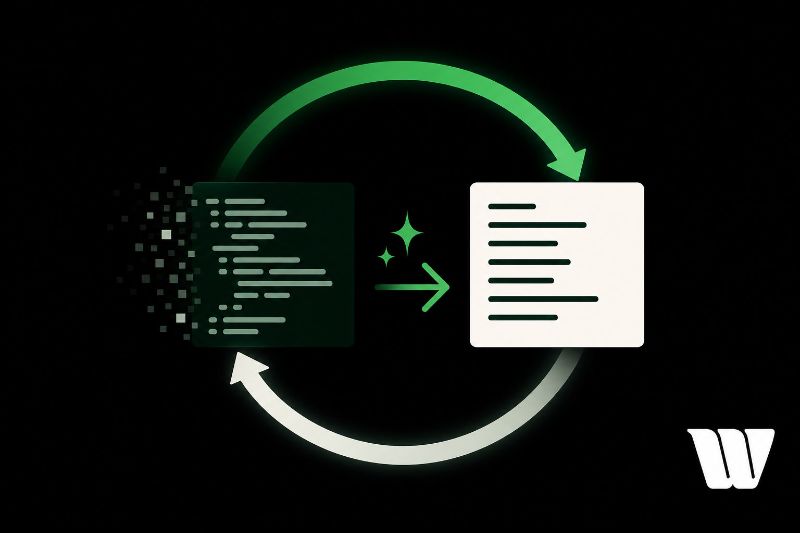
A refactor loop is a structured cycle you use to improve existing code without changing its external behavior. It runs through four core stages: analyze, plan, execute, and verify. You're targeting real problems like naming inconsistencies, tangled dependencies, and incremental quality decay. AI fits into this loop as a force multiplier, helping you spot redundancies and generate alternatives faster. Keep going to see exactly how to put it all together.
Key Takeaways
- A refactor loop is a structured cycle of analyzing, planning, executing, and verifying code improvements without changing its external behavior.
- It targets technical debt, naming inconsistencies, tangled dependencies, and incremental code quality degradation through disciplined, repeated improvement cycles.
- AI amplifies human judgment during analysis and execution by identifying redundant logic and generating refactored alternatives for quick comparison.
- Tools like SonarQube, GitHub Copilot, and Claude serve specific refactor loop stages, from detection and planning to execution and validation.
- Running the loop in short sprints—isolating targets, prompting AI, testing changes, and documenting results—incrementally tightens overall codebase quality.
What Is a Refactor Loop and Why Does It Matter?
A refactor loop is a structured cycle where you repeatedly improve existing code without changing its external behavior—cleaning up logic, reducing complexity, and eliminating technical debt in controlled passes. Each iteration targets a specific problem: naming inconsistencies, bloated functions, or tangled dependencies.
Why does it matter? Because code quality degrades incrementally, and so must your response to it. A single refactor session rarely solves deep structural issues. Looping forces discipline—you define a scope, improve it, verify behavior, then repeat.
AI accelerates this cycle by identifying patterns you might miss and generating cleaner alternatives faster than manual review allows. That speed directly impacts development efficiency, letting you address more surface area per sprint without sacrificing stability or readability.
The loop becomes a precision tool, not a chore.
Breaking Down the 4 Core Stages of a Refactor Loop
Every refactor loop runs through four repeatable stages: analyze, plan, execute, and verify.
First, you analyze your codebase to identify technical debt, redundancies, and weak spots affecting code quality.
Second, you plan targeted changes—whether that means restructuring logic, improving readability, or tackling performance optimization.
Third, you execute those changes systematically, keeping each iteration scoped and controlled.
Fourth, you verify the results by running tests, reviewing diffs, and confirming the code behaves as expected.
This iterative process doesn't end after one pass. You feed verification results back into the next analysis stage, creating a continuous improvement cycle.
Each loop tightens your code, reduces accumulated debt, and strengthens overall system performance.
Understanding these four stages lets you refactor with intention rather than guesswork.
Where AI Actually Fits in Your Refactor Loop
AI doesn't replace your judgment in a refactor loop—it amplifies it at specific pressure points. It's most effective during analysis and implementation, where pattern recognition and code optimization suggestions happen fast.
During analysis, AI-driven insights surface issues you might miss under deadline pressure—redundant logic, inefficient loops, tight coupling. You still decide what matters.
During implementation, AI generates refactored alternatives quickly, letting you compare approaches without writing everything from scratch.
Where AI doesn't fit: defining your goals or validating outcomes. Those require domain knowledge and context only you carry. AI can suggest, but it can't confirm that a change aligns with your system's real constraints.
Use AI as a force multiplier inside the loop, not a replacement for the loop itself.
Which AI Tools Work Best at Each Stage of the Refactor Loop
Not every AI tool handles each stage of the refactor loop equally well—matching the right tool to the right stage saves time and avoids friction.
During detection, static analyzers paired with AI code review tools like CodeClimate or SonarQube surface structural issues fast.
For planning, conversational models like Claude or GPT-4 help you reason through optimization techniques before touching a single line.
During execution, inline enhancement tools like GitHub Copilot or Cursor apply targeted rewrites directly in your editor.
For validation, AI-assisted test generators confirm behavior holds after changes.
A quick tool comparison reveals no single solution dominates every stage. You'll get better results by treating these tools as a coordinated stack rather than interchangeable options.
How to Run a Repeatable AI-Powered Refactor Loop
Running a repeatable AI-powered refactor loop means treating it as a structured workflow, not a one-off cleanup session. Follow these steps consistently across every iteration:
- Identify a target — isolate one function, module, or pattern with low code readability or high complexity.
- Prompt AI for suggestions — request specific refactors with clear constraints like performance or maintainability goals.
- Run automated testing — validate every AI-generated change against your existing test suite before accepting it.
- Review, commit, and document — log what changed, why, and what the AI suggested versus what you kept.
Repeat this cycle in short sprints. Each loop tightens your codebase incrementally.
Over time, you'll build a refactor history that informs smarter prompts and faster iterations.
Frequently Asked Questions
Can a Refactor Loop Be Applied to Legacy Codebases Effectively?
Yes, you can effectively apply a refactor loop to legacy codebases. You'll tackle legacy challenges incrementally, using AI-assisted refactor strategies to isolate, improve, and test small code sections iteratively without disrupting the entire system.
How Often Should Developers Run a Refactor Loop on Production Code?
You should run a refactor loop during every sprint cycle, balancing refactor frequency with production stability. Don't over-refactor; tie each iteration to measurable improvements, ensuring you're continuously enhancing code without disrupting live system reliability.
Does Refactoring With AI Increase the Risk of Introducing New Bugs?
Yes, it can. When you use AI in a refactor loop, you're trading speed for potential risk. Always run thorough tests to maintain code stability and leverage AI's bug detection capabilities to catch regressions iteratively.
Should Junior Developers Learn Manual Refactoring Before Using AI Tools?
Yes, you should master manual coding first. It'll sharpen your debugging techniques, strengthen code review skills, and build foundational learning methods—so when you do use AI refactoring tools, you'll catch errors and iterate smarter.
Can a Refactor Loop Improve Code Performance as Well as Readability?
Yes, a refactor loop can boost both. You'll apply iterative refactoring strategies to achieve readability enhancement while targeting code optimization. Track performance metrics after each cycle to confirm your improvements aren't sacrificing speed for cleaner, more maintainable code.
Conclusion
You now have a structured way to integrate AI into your refactor loop without losing control of your codebase. Don't treat it as a one-time cleanup—run it continuously. Each iteration tightens your logic, reduces technical debt, and sharpens your understanding of what the code actually does. The loop isn't a destination; it's a discipline. Build it into your workflow, trust the process, and let each cycle compound into cleaner, more maintainable code.