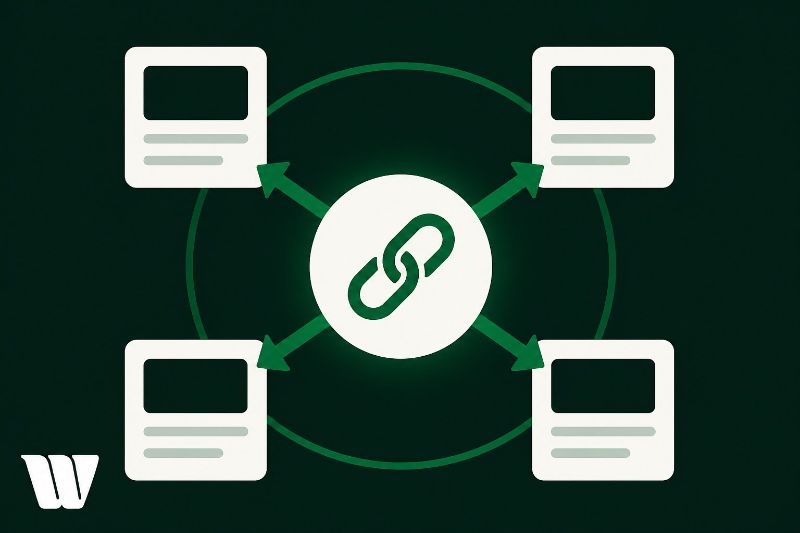
Internal linking is one of the most powerful—and overlooked—SEO levers you control. It shapes how Googlebot crawls your site, how PageRank flows between pages, and how users navigate your content. Without a deliberate strategy, high-value pages stay under-indexed and underperforming. You'll want to prioritize descriptive anchor text, link from authoritative pages to weaker ones, and keep orphan pages connected. Stick around—there's a lot more to unpack about building a link structure that actually moves rankings.
Key Takeaways
- Internal links help search engines crawl and index your site while distributing link equity to boost authority across key pages.
- Orphan pages lacking internal links often go unindexed, making deliberate linking essential for complete site coverage.
- Prioritize linking from high-authority pages to underperforming ones, focusing on top-converting and cornerstone content.
- Use descriptive, varied anchor text to signal relevance without over-optimizing, which can trigger search engine penalties.
- Regularly audit internal links to fix broken links, eliminate redirect chains, and maintain an effective linking structure.
What Is Internal Linking and Why Does It Matter for SEO?
Internal linking is the practice of hyperlinking one page on your website to another page within the same domain, and it directly shapes how search engines crawl, index, and assign authority across your site.
Your link structure determines which pages receive PageRank distribution and how efficiently Googlebot discovers new content. Without a deliberate internal linking strategy, high-value pages often remain under-indexed and underperforming in search results.
Beyond crawlability, internal links strengthen user experience by guiding visitors toward relevant content, reducing bounce rates, and increasing session depth—metrics that correlate with stronger organic rankings.
When you connect topically related pages intentionally, you signal content relationships to search engines while simultaneously keeping users engaged longer. Both outcomes compound your site's overall SEO performance.
How Search Engines Use Internal Links to Crawl Your Site
Crawlers like Googlebot discover and index your site's pages almost entirely through links—and your internal link structure is the primary roadmap they follow.
When Googlebot lands on your homepage, it follows each internal link to discover new URLs, then queues those for crawling. Pages with no internal links pointing to them—called orphan pages—often go unindexed entirely.
Crawling efficiency improves notably when your architecture keeps every page within three clicks of the homepage. Deeper pages consume more crawl budget and receive less frequent revisits.
You'll also want to reflect on link equity, which flows through your internal links like a currency. Pages you link to frequently accumulate stronger signals, boosting their authority and improving their rankings.
Prioritize linking strategically to your highest-value pages.
How to Choose Which Pages to Link to (and From)
When building your internal linking strategy, you need to identify your high-value pages first—these are typically your top-converting pages, cornerstone content, or pages targeting your most competitive keywords.
Once you've mapped out those priority pages, focus on linking to them from contextually relevant content rather than inserting links wherever a opportunity exists.
Relevance signals to both users and search engines that the link carries meaning, whereas indiscriminate linking dilutes your site's topical authority and weakens PageRank distribution.
Identifying High-Value Pages
Not all pages on your site carry equal weight, so your internal linking strategy should reflect that reality.
Start by analyzing your analytics data to pinpoint high traffic pages that already attract strong user engagement. These pages carry significant link equity and deserve strategic navigation pathways toward your conversion-focused assets.
Next, map your content hierarchy to understand which pages hold the most page authority. Use tools like Google Search Console or Ahrefs to evaluate performance metrics and keyword relevance across your site's architecture.
Prioritize linking from authoritative, high-performing pages toward underperforming ones you want to elevate.
This targeted approach drives conversion optimization by directing qualified traffic where it matters most. Data should drive every linking decision you make.
Prioritizing Relevance Over Quantity
Although the temptation to add as many internal links as possible feels productive, relevance is the metric that actually moves the needle.
Search engines evaluate contextual relevance between linking and destination pages, meaning a mismatched link dilutes both topical authority and user experience.
Prioritize links where the source page's content directly supports or expands the destination page's topic. Ask yourself: does this link help the user accomplish something specific? If the answer isn't immediately clear, skip it.
Use data to guide decisions. Analyze engagement metrics, bounce rates, and conversion paths to identify which page relationships genuinely drive value.
A single, highly relevant internal link outperforms five loosely connected ones every time. Relevance-first linking builds stronger topical clusters and signals clear site architecture to crawlers.
Why Anchor Text Makes or Breaks Your Internal Links
Anchor text—the clickable, hyperlinked words connecting one page to another—directly shapes how search engines interpret the relevance and context of your internal links.
Google's algorithms parse anchor text to understand topical relationships between pages, making your anchor text strategies critical to link equity distribution.
Generic phrases like "click here" waste contextual signal value, while keyword-rich, descriptive anchors reinforce contextual relevance between linked pages.
However, over-optimizing with exact-match keywords triggers algorithmic penalties.
Data consistently shows that varied, natural anchor text distributions outperform repetitive exact-match patterns.
You'll want to balance descriptive keyword anchors with branded, partial-match, and natural language variations.
Audit your existing internal links regularly, identifying weak or generic anchor text and replacing it with precise, topically aligned phrases that strengthen your site's overall semantic architecture.
How to Use Internal Links to Strengthen Your Rankings
Getting your anchor text right is only half the equation—where those links point and how frequently they point there determines how much ranking power you're actually moving across your site.
Build your linking strategies around a clear content hierarchy: pillar pages sit at the top, topic clusters support them below. Push internal links from high-traffic, high-authority pages toward the URLs you want to rank.
Audit your crawl data regularly to identify pages receiving zero internal links—Google can't prioritize what it rarely finds. Distribute links deliberately, not randomly.
Pages ranking on page two often need three to five additional internal links from topically relevant, authoritative content. Track ranking shifts after each linking adjustment so your strategy stays measurable and iterative rather than purely instinctive.
Internal Linking Mistakes That Are Quietly Killing Your SEO
Most sites don't fail at internal linking because they ignore it—they fail because they're making structural errors that silently drain link equity and fragment crawl priority.
Even well-intentioned linking strategies collapse under common pitfalls like over-optimized anchor text, orphaned pages, and excessive links per page diluting PageRank distribution.
Avoid these critical mistakes:
- Linking to already-canonical pages inconsistently, confusing crawlers about authoritative URLs
- Using generic anchors like "click here," which signal nothing to search engines
- Burying high-value pages three or more clicks from your homepage
- Ignoring crawl depth data in tools like Screaming Frog or Ahrefs
Each error compounds the others.
Audit your internal link structure quarterly, prioritize equity flow toward conversion-critical pages, and eliminate any links pointing to redirects or broken URLs.
How to Find and Fix Weak Internal Links on Your Site
Diagnosing weak internal links starts with crawl data—export a full site crawl from Screaming Frog or Sitebulb, then filter for pages with low inlink counts, broken link targets, and redirect chains.
Your link analysis should flag orphaned pages receiving zero internal links, since crawlers and users can't discover them organically.
Cross-reference crawl data with Google Search Console's Coverage report to identify high-value pages underperforming in impressions—weak internal equity is often the culprit.
Fix broken links immediately by updating destinations or implementing 301 redirects. Rebuild redirect chains into single-hop redirects to preserve link equity.
Prioritize linking to pages with strong conversion intent or high organic potential, using contextually relevant anchor text that reinforces topical authority across your site architecture.
Frequently Asked Questions
How Many Internal Links Should a Single Page Ideally Contain?
You don't have a fixed rule for link quantity, but your ideal strategy is to include 2–5 relevant internal links per 1,000 words, ensuring each link adds genuine contextual value without overwhelming crawlers.
Does Internal Linking Help With Duplicate Content Issues on Websites?
Internal linking doesn't directly fix duplicate content, but it helps you establish a clear content hierarchy, signaling to search engines which version you prefer, reducing confusion and consolidating link equity to your canonical pages effectively.
Can Internal Links From Older Posts Still Boost Newer Page Rankings?
Yes, older posts can boost newer page rankings. When you maintain link relevance between them, you're transferring established authority strategically. Google's algorithms reward content freshness signals, so you'll amplify crawl prioritization and ranking potential for newer pages effectively.
Should Internal Links Open in a New Tab or Same Window?
For internal links, you should keep them opening in the same window. This preserves navigation clarity, strengthens user engagement, supports page authority flow, and aligns with SEO strategy by maintaining link context without disrupting your user experience.
How Do Internal Links Impact User Dwell Time and Bounce Rates?
When you strategically place internal links, you'll boost dwell time by encouraging user navigation deeper into your site. They fuel content discovery, reducing bounce rates as visitors consume multiple pages, sending positive engagement signals to search engines.
Conclusion
Internal linking isn't just a technical checkbox—it's a strategic lever that directly impacts how search engines crawl, index, and rank your pages. When you're deliberate about anchor text, link placement, and page authority distribution, you compound your SEO results over time. Audit your internal links regularly, fix orphaned pages, and prioritize high-value connections. The data is clear: sites with strong internal linking structures consistently outperform those that treat it as an afterthought.