Framer is an AI website builder and visual design platform. In 2026 the homepage leads with an AI design agent that works on the canvas: generate a site, refine it in place, and keep every layer editable. Hosting, CMS, SEO, analytics, and publishing are built in.
That is a different job from an AI company-in-a-box. Framer is strongest when designers, marketers, and agencies want a high-control marketing site they will keep editing. It is a weaker match if you need research, a brand system, Stripe, and agents that keep operating the business after publish.
Curious how it stacks up against Willo? Check out our comparison between Framer and Willo.
What is Framer?
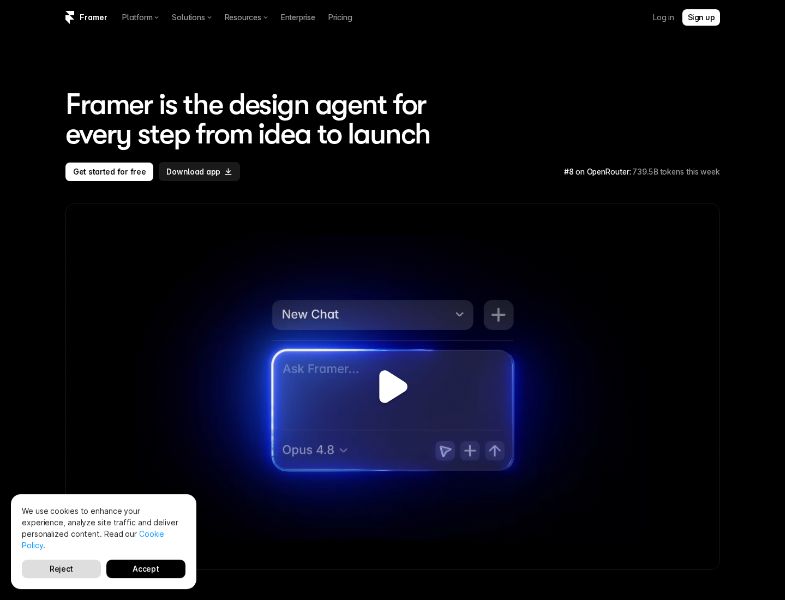
Framer is a hosted website design and publishing product. Teams use it for marketing websites, landing pages, blogs, portfolios, and resource hubs. Official CMS and stories pages name customers such as Perplexity, DoorDash, NBA, Dribbble, Zapier, Microsoft, Huel, Mixpanel, and Cal.com. Treat those as company-published examples.
What “Framer” means in practice:
- Canvas — visual editor with layers, breakpoints, components, and effects
- Agents — on-canvas AI for layouts, copy, CMS, SEO, and audits
- CMS — collections, fields, detail pages, on-page editing
- Hosting — global CDN, SSL, custom domains, image optimization
- Collaboration — editors, content editors, viewers, branching, staging
- Enterprise — custom limits, SSO, SCIM, uptime guarantee
On G2, Framer was 4.5 / 5 from 144 reviews on August 2026 (75% five-star, 18% four-star).
How Framer works
1. Start free
Sign up and design on a Framer domain. The Free plan is for trying the canvas and agents, not for a custom-domain business site.
2. Generate or design
Three official paths:
- Prompt / agent — describe a portfolio, startup site, landing page, or blog
- Screenshot or files — attach references; agents use them as context
- Manual canvas — start without AI and build like a design tool
Framer’s AI pages emphasize that output is editable layers, not a locked generated image.
3. Refine with agents
On the agents page you can:
- Type / for AI actions (layouts, CMS, more)
- Select layers as chat context
- Mention pages, collections, styles, or assets with @
- Choose models (the page lists Sonnet, Opus, and GPT options)
- Move risky edits onto a branch
4. Add CMS and publish
Create collections, generate detail pages, import a CSV, edit on the canvas, then publish. Paid site plans include hosting, a custom domain, and no Framer branding.
5. Collaborate and add on
Invite editors or content editors. Pro unlocks staging and branching. Add localization, Convert (A/B / funnels), or Advanced Hosting if you need them.
Hosting and export
Official help (updated within two weeks of this research) states Framer does not support HTML export for self-hosting. Published sites use platform services: pre-rendering, dynamic image resizing, font subsetting, SSR, and a global CDN. FAQ on that page: you cannot download the site as HTML files or a static bundle.
A separate portability article says published output is standard HTML/CSS/JS, that you can download those files, and that CMS data can be exported via plugins as CSV or JSON. Those two official documents conflict on how complete a “host it anywhere” workflow is. If exit matters, test export on a throwaway project before you bet a brand site on it.
You can connect your own domain. Advanced Hosting can reverse-proxy paths to other origins (for example /app on Vercel). That is not the same as owning a portable repo.
Key features
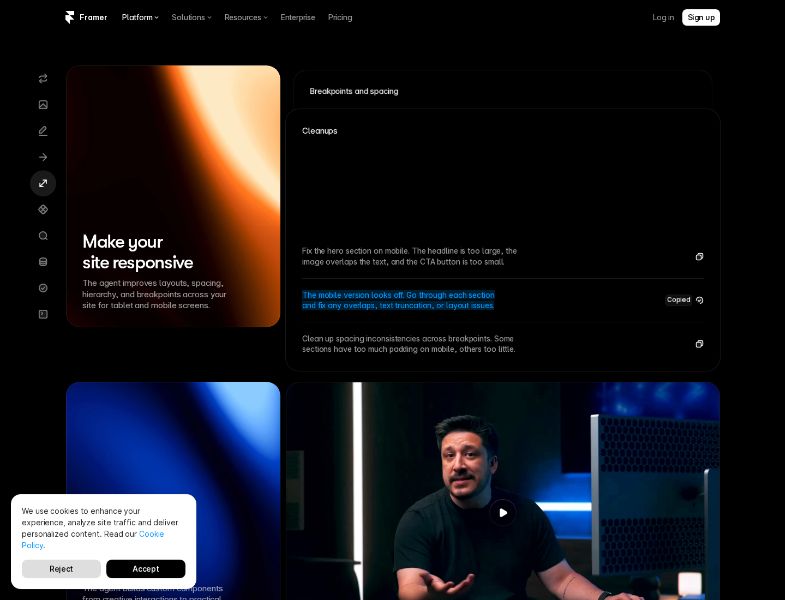
On-canvas AI agents
Agents generate and edit in the design file. You stay in control of layers. External agents (Claude Code, Cursor, Codex) can connect over MCP and, during the preview period listed on pricing, do not draw Framer credits.
Visual editor
Reviewers and Framer’s own copy compare the mental model to Figma: frames, auto-layout, breakpoints. That is why designers adopt it quickly and why non-designers can still hit a learning curve.
CMS
Collections, fields, slugs, detail pages, filters, on-page editing, CSV import, and AI that can stand up a collection from a prompt. Localization can auto-translate canvas and CMS content and consumes credits.
Hosting, SEO, Convert
Global hosting, SSL, redirects (Pro), password protection, site search, analytics history (30 days Basic / 90 days Pro / unlimited Enterprise). Convert is a $50 add-on per 500,000 events for A/B tests, funnels, and triggers (up to 5 A/B tests per the pricing FAQ).
What Framer does not do
It does not research your market, write a living company roadmap, provision Stripe Connect for a new business, or run a weekly growth loop as a team of business agents. It is not a general application backend.
Pricing and plans
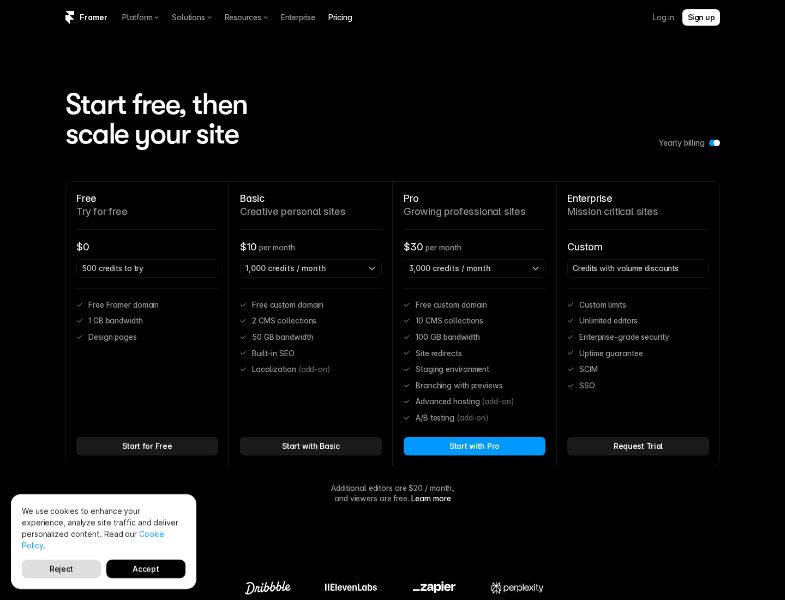
| Plan | Listed price | Credits | Pages | CMS collections / items | Bandwidth |
|---|---|---|---|---|---|
| Free | $0 | 500 to try | Design pages | See FAQ (explore limits) | 1 GB (card) |
| Basic | $10/mo | 1,000/mo | 30 | 2 / 1,000 | 50 GB |
| Pro | $30/mo | 3,000/mo | 150 | 10 / 2,500 | 100 GB |
| Enterprise | Custom | Custom | Custom | Custom | Custom |
Seats: workspace owner included; extra editors $20/month; content editors $10/month; viewers free. Basic/Pro cap edit seats at 10.
Yearly perk: free .com on yearly Basic and Pro (Hover), DNS handled in project settings.
Typical credit costs: landing page ~300; responsive pass ~150; large edit ~100; small edit ~50. Free’s 500 is described there as a daily try allowance that does not roll over. The live card says “500 credits to try.” Prefer the live FAQ if you are deciding on Free-plan limits.
Pro scale-up (official FAQ): add-ons up to 700 pages, 40 collections, 40,000 items, 2 TB bandwidth, 1.5M Convert events.
Refunds: EU and Turkey — 14 days, contact support. Not advertised as a worldwide money-back guarantee.
Payment: credit card; PayPal in some regions; Enterprise can use bank transfer.
User feedback and reputation
G2 — 4.5 / 5 from 144 reviews (August 2026)
Star mix: 75% five-star, 18% four-star, 2% three-star, 2% one-star.
What reviewers often like
- Design and publish on one canvas; no developer handoff
- Figma-like interface and visual breakpoints
- CMS plus Sheets/Airtable-style connections (individual review claim)
- Fast sites and built-in image optimization
- In-app agent plus the option to use your own LLM
A validated G2 review (web designer) called it “the fastest way from idea to live site.” Another (designer/writer) called the CMS “next-generation” and praised pasting from Figma.
What reviewers often dislike
- Pricing that “scales quite quickly” and can feel unclear
- Monthly billed much higher than annual (Rachel C., 3.5/5, August 8, 2026: “charging nearly TWICE as much for monthly… you can't easily EXPORT = unfair vendor lockin”)
- Occasional slowness or canvas jumpiness on Windows/browser
These are individual reviews, not a census.
Pros and cons
Pros
- AI that writes into a real, editable design file
- Hosting, CMS, SEO, and publish in one product
- Low Basic sticker for a custom-domain site
- Staging/branching on Pro
- External agents can use AI you already pay for
- Credit refund if you mark a bad agent result (company claim)
- Strong G2 average among site-builder users
Cons
- No official self-host HTML export
- You still run the business after the site ships
- Not a native store or app platform
- Credits, seats, locales, Convert, and Advanced Hosting add up
- Free plan cannot connect a custom domain
- Narrow public refund policy
- Modest independent review volume
Limitations and challenges
It is a website platform, not a business operator. Agents will not interview your market or run next week’s growth loop unless you do that work.
Hosting is the product. Help Center language leaves little room for a portable static export. Budget a rebuild if you might leave.
The cheap plan is small. 30 pages, 2 collections, 1,000 credits, 50 GB. Blogs and campaign sites grow through those limits.
Two official stories on export. Do not promise clients “download the HTML anytime” without testing the current UI.
AI costs are usage-based. Generating many pages or many locales will exceed the included credits. Models behind agents are expensive; Framer says so.
Who Framer is best for
- Designers who want Figma energy on a live site
- Marketers shipping landing pages and content hubs
- Agencies delivering client marketing sites
- Startups that already have an offer and need a designed web presence
- Teams that want CMS + staging without WordPress
Who may want an alternative
- Founders who need research, brand, and weekly agent work — not only a site
- Teams that must own a GitHub repo they can host anywhere
- Stores that need native checkout at scale
- People who only need a cheap brochure and dislike credit meters
- Anyone who requires a documented, one-click static export
Alternatives depend on the job: Webflow or Wix for other builders; WordPress for a portable CMS; Lovable or Base44 for prompt-to-app; a business builder if the company itself is the gap.
Willo as an alternative
Willo is an AI business builder, not a visual CMS. You describe a business. Agents research the market, create a brand, deploy a website to your GitHub repo, prepare Stripe, and keep working on content and operations. All plans come backend-ready, Free included. Upgrading adds tools for growth, revenue, communication, and insights through the Autonomous Growth Engine, email and contacts, and built-in analytics.
Willo does not match Framer’s canvas, motion, or CMS collections. It does deploy to your repo and states a 0% platform fee on Stripe Connect. Chat is free. Plans start at $0 (40 one-time credits) and $25/month for Starter. Custom domains start on Builder ($49/month).
Frequently asked questions
Is Framer free?
Yes, to try. Free includes a Framer domain and a small credit allotment. A custom domain requires a paid site plan.
How much does Framer cost in 2026?
Official cards: Basic $10/month, Pro $30/month, plus $20 per extra editor and optional add-ons. Enterprise is custom. Confirm billing cycle at checkout.
What are AI credits?
They meter agent work (and localization). Every plan includes some. You can buy more. A full landing page is the expensive action (~300 credits on the published examples).
Can I export my Framer site to Netlify?
Official self-host HTML export: no. CMS/data export: yes, via plugins (CSV/JSON). A second official article describes downloading published HTML/CSS/JS — verify that path yourself.
Does Framer include ecommerce?
Not as a first-party full store comparable to Shopify or Wix Stores. Teams typically embed checkout or link out.
Is there a refund?
EU and Turkey: 14 days via support, per the pricing FAQ. Other regions: not stated as a blanket policy on that page.
Conclusion
Framer in 2026 is a mature design-to-publish website platform with credible on-canvas AI. Agents speed the first draft. CMS, hosting, and staging cover most marketing-site needs. The durable constraints are Framer hosting, stacked add-on costs, and the fact that you still run the company.
If that is the job, start free on Framer. If the job is standing up a business — research, marketing, brand, site, payments, digital products, weekly agents — start free on Willo and compare from there.