Webflow has grown from a visual website builder into a broad web experience platform for designers, marketers, agencies, developers, and enterprises. It now combines visual design, content management, hosting, ecommerce, localization, analytics, optimization, AI creation, and app development tools.
That breadth is Webflow's biggest strength, but it also makes the product more complex than a basic website builder. The right question is not simply whether Webflow is good. It is whether Webflow's professional controls, learning curve, and pricing structure fit the website you want to run.
Curious how it stacks up against Willo? Check out our comparison between Webflow and Willo.
This Webflow review examines what the platform does, how it works, what it currently costs, where it performs well, and which users may be better served by an alternative.
Webflow review: the quick verdict
Webflow is a strong choice for design-led websites, content-rich marketing sites, agencies, and organizations that want detailed visual control without separating design from production. Its visual Designer, native CMS, responsive controls, interactions, hosting, and collaboration features are more advanced than those of many template-first website builders.
Webflow is less compelling for users who want the fastest possible learning curve, simple all-in-one pricing, or an AI system that builds and operates an entire business beyond the website. Although Webflow AI can generate sites, copy, designs, and code, the user or team still works primarily inside a sophisticated web-production platform.
| Review area | Assessment |
|---|---|
| Visual design | Excellent for users who want precise, hands-on control |
| CMS | Strong native system for structured, dynamic content |
| AI | Useful across site generation, design, copy, code, and optimization |
| Ecommerce | Capable and highly designable, but not as commerce-specialized as a dedicated ecommerce platform |
| Collaboration | Strong agency, team, and enterprise workflows |
| Ease of use | Accessible starting options, but the complete platform has a significant learning curve |
| Pricing clarity | Improved in May 2026, though Site, Workspace, platform, and add-on charges remain layered |
| Portability | Static export is available on eligible Workspace plans, with important exclusions for dynamic features |
| Best fit | Designers, agencies, marketing teams, content teams, and enterprises |
What is Webflow?
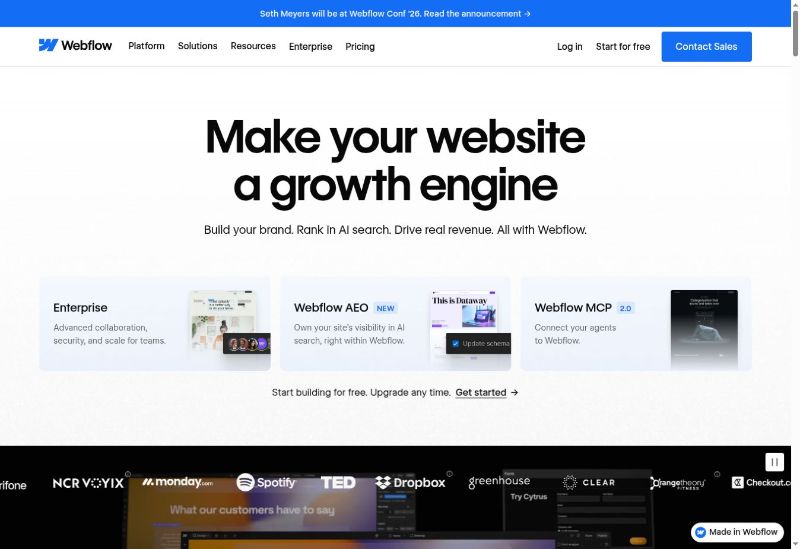
Webflow is a visual web platform for creating, hosting, managing, and improving websites. It lets users manipulate website layout and styling through a visual interface while producing HTML, CSS, and JavaScript behind the scenes.
Webflow currently describes itself as an agentic web platform for modern businesses. Its scope now extends beyond conventional page building and includes:
- A visual Designer for responsive websites
- A structured content management system
- Managed hosting and publishing
- Webflow AI for generating sites, designs, copy, and code
- Ecommerce products, carts, checkout, and order management
- Localization for multilingual and regional experiences
- Site search, forms, interactions, animations, and reusable components
- Roles, permissions, approvals, and enterprise governance
- Analyze and Optimize products for measurement and experimentation
- APIs, apps, Webflow MCP, code components, and Webflow Cloud app hosting
Webflow is still fundamentally website-centered. Its newer developer and AI capabilities make the boundary between a website and a web application less rigid, but the central workspace remains the web experience and the team responsible for it.
How Webflow works
Webflow projects begin in a Workspace. A user can start from a blank canvas, use a template, or use Webflow AI to generate a starting website. The site is then refined in Webflow's visual environment.
Build the layout visually
The Designer gives users control over page structure, sizing, spacing, typography, colors, responsive breakpoints, states, and positioning. Unlike a simple drag-and-drop editor, Webflow exposes concepts that closely follow HTML and CSS.
This model gives experienced users considerable control. It also explains why beginners sometimes find Webflow harder than template-first builders. Understanding containers, display modes, classes, responsive behavior, and the cascade makes the product easier to use.
Structure dynamic content
Webflow's CMS lets users define collections such as articles, team members, case studies, locations, or products. Each collection contains fields, and designers create templates that determine how every item is displayed.
Editors can then update content without rebuilding the layout. This separation between content structure and visual presentation is particularly useful for marketing teams, publications, directories, and resource libraries.
Add interactions and components
Users can build animations and interactions without writing the underlying JavaScript themselves. Reusable components and shared libraries help teams keep recurring interface elements consistent across pages and sites.
Webflow also supports code components, allowing development teams to bring React-based elements into Webflow workflows. This expands what can be designed and reused while preserving a visual editing environment.
Publish through Webflow hosting
A site can be tested on a Webflow staging domain. Publishing to a custom domain requires a paid Site plan. Webflow handles hosting, SSL, content delivery, and publishing infrastructure.
Organizations with application requirements can also use Webflow Cloud to deploy web apps alongside their Webflow sites. The exact architecture and service limits should be checked against current Cloud documentation before committing a production application.
Key Webflow features
Visual website design
Webflow's visual Designer is the product's defining feature. It offers more control than a block-based editor while letting users avoid manually writing every line of front-end code.
Notable capabilities include:
- Responsive layout controls
- Reusable classes and style systems
- Flexbox and grid layouts
- Custom typography and visual states
- Components and shared libraries
- Animations and scroll-based interactions
- Custom code for requirements outside the standard interface
This depth is most valuable when a website needs a distinct visual identity. Someone who only needs a few standard pages may not benefit enough to justify the learning curve.
Webflow AI
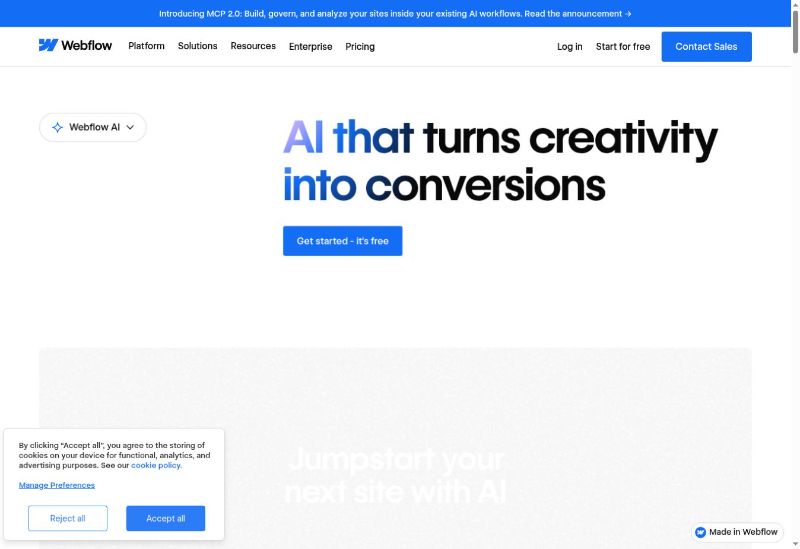
Webflow AI can help generate an initial website from a prompt, modify visual designs, create or revise copy, generate code, and support conversion optimization.
The AI site builder lowers the barrier to producing a first draft. It does not remove the value of understanding Webflow's Designer, CMS, and publishing model. Teams that want polished, consistent, and maintainable results still need to review the generated structure, styling, content, and responsive behavior.
Webflow also offers MCP connectivity, which allows compatible AI agents and tools to interact with Webflow workflows. This reflects the platform's move toward agent-assisted site creation and management.
Webflow CMS
The Webflow CMS is one of the platform's strongest reasons to upgrade beyond a basic site. Users can create custom content types, relationships, filters, and dynamic templates without running a separate CMS installation.
Under the current Premium Site plan, Webflow documents support for up to 20,000 CMS items and 40 collections. Those limits are generous enough for many marketing and editorial sites, but a buyer planning a large directory or content migration should map the expected item count and collection structure before choosing the platform.
Ecommerce
Webflow Ecommerce lets businesses create a visually customized storefront, product pages, cart, checkout, and order experience. Ecommerce content uses Webflow's design system, making it attractive to brands that consider the shopping experience part of their visual identity.
Webflow documents subscription scenarios that combine Ecommerce with User Accounts. Teams should still verify whether current payment providers, tax handling, shipping, subscription logic, inventory workflows, and regional requirements meet their needs. A dedicated ecommerce platform may offer a deeper commerce ecosystem for complex retail operations.
Localization
Webflow Localization supports localized static pages and CMS content, translated SEO settings, localized URLs, routing, and variations in assets and styles.
The Advanced localization add-on starts at $29 per month, with cost affected by the number of locales. This packaged workflow is useful for global marketing teams, but it should be included in the total cost estimate rather than treated as a standard Site-plan feature.
Collaboration and governance
Webflow provides roles, permissions, client seats, publishing controls, and shared libraries. Higher-tier plans add capabilities designed for larger organizations, including publishing workflows, activity logs, APIs, governance, security features, and priority support.
These controls make Webflow suitable for agencies and in-house teams where designers, content editors, marketers, developers, and approvers need different levels of access.
Analytics, testing, SEO, and AEO
Webflow provides controls for website metadata and technical settings, along with products such as Webflow Analyze and Optimize. Its current platform also promotes AEO features intended to help sites appear in AI-driven search experiences.
Analyze, Optimize, and some advanced AEO capabilities are not necessarily included in every standard Site plan. Buyers should confirm which product or platform tier includes each required feature.
Code export and developer options
Static site code can be exported on eligible paid Workspace plans. According to Webflow's code export documentation, the export can include HTML, CSS, JavaScript, and assets.
The export is not a complete portable version of every Webflow project. CMS content and databases, Ecommerce, User Accounts, code components, localized pages, site search, form processing, and other platform-dependent functions are excluded or do not continue operating as they did on Webflow.
This means Webflow offers useful portability for static front-end work, but a dynamic Webflow site cannot generally be moved elsewhere by exporting a self-contained copy.
Webflow pricing and plans
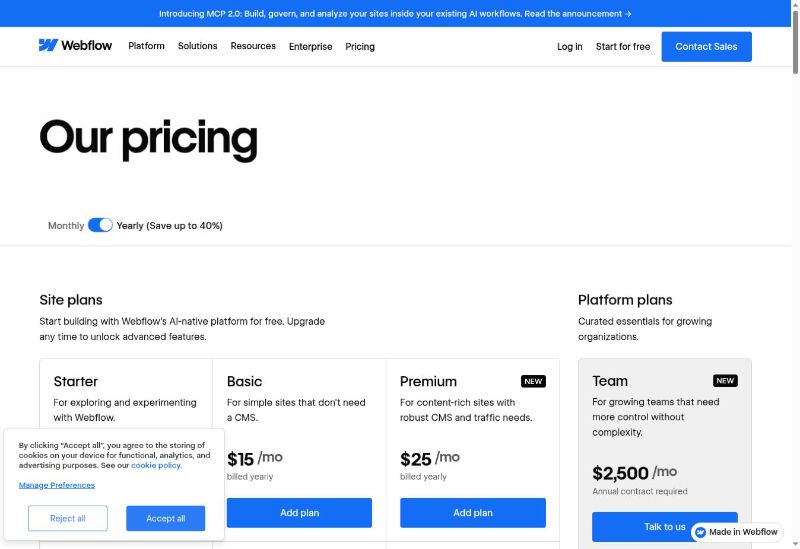
Webflow simplified its pricing in May 2026. The former CMS and Business Site plans were consolidated into a Premium Site plan.
Current Site and platform plans
| Plan | Price | Main purpose |
|---|---|---|
| Starter Site | Free | Exploring Webflow on a webflow.io domain with 2 static pages, limited CMS, 1 GB bandwidth, and 50 form submissions |
| Basic Site | $15/month billed yearly or $25 monthly | Simple sites without a CMS; custom domain, up to 300 static pages, 10 GB bandwidth, and unlimited form submissions |
| Premium Site | $25/month billed yearly or $39 monthly | Content-rich sites; CMS, up to 20,000 CMS items, 40 collections, code components, site search, and higher traffic capacity |
| Team platform | $2,500/month with an annual contract | Combined Site and Workspace capabilities for growing organizations, including Localize, AEO agents, workflows, governance, and priority support |
| Enterprise | Custom | Custom scale, controls, security, and support |
Site plans and Workspace plans are different
A Webflow Site plan pays for hosting and features attached to a particular published site. A Workspace plan governs how a person or team creates, stages, collaborates on, and manages projects.
Agencies and freelancers may therefore need a Workspace plan in addition to Site plans for client projects. Webflow's Agency Workspace currently costs $35 per month when billed yearly and includes unlimited staging sites, three free client seats per site, unlimited shared libraries, roles, publishing permissions, and 400 monthly AI credits.
Webflow currently allocates 200 monthly AI credits to Starter Workspaces, 300 to Freelancer, and 400 to Agency. Additional AI credits are sold separately. Users expecting frequent AI generation should review the current credit rules and estimate consumption before choosing a plan.
Add-on costs
The full Webflow cost may also include:
- Localization
- Analyze or Optimize
- Additional bandwidth
- Additional AI credits
- Ecommerce-specific plans or services
- Multiple paid sites
- A paid Workspace for team or agency workflows
Webflow can be reasonably priced for a single professional marketing site. Costs become harder to compare when several sites, collaborators, locales, traffic requirements, or separate Webflow products are involved.
Webflow user feedback and reputation
User feedback on Webflow varies significantly by platform and audience.
The G2 listing accessible during this research displayed a rating of 4.4 out of 5 from 995 reviews. Positive themes commonly include design freedom, responsive control, professional output, and the ability to connect design and development workflows. Critical reviews often mention the learning curve and the time required to become comfortable with the platform.
Trustpilot displayed a TrustScore of 1.5 out of 5 from 232 reviews. Visible complaints included support experiences, billing and refunds, product complexity, pricing changes, and frustration with particular features or workflows. Trustpilot also indicated that Webflow had not recently invited reviews, which means that sample may be shaped disproportionately by users who sought out the platform after a negative experience.
These aggregates should not be combined into one universal verdict. G2's audience is oriented toward business software evaluation, while Trustpilot's collection mechanics and reviewer motivations differ. Individual reviews are anecdotal, and both ratings can change.
The consistent takeaway is more useful than either score alone: many users value Webflow precisely because it is powerful and flexible, while some users find that same depth complex or difficult to support and price.
Webflow pros and cons
Pros
- Detailed visual control: Webflow can produce distinctive responsive sites without forcing every change through handwritten front-end code.
- Strong native CMS: Structured collections and dynamic templates suit content-heavy marketing and editorial projects.
- Professional interactions: Designers can build animations and interaction patterns inside the same environment.
- Integrated hosting and publishing: Teams can move from design to deployment without setting up a separate hosting stack.
- Useful AI assistance: AI can accelerate initial site generation, design changes, copy, code, and optimization tasks.
- Agency and enterprise collaboration: Roles, permissions, client access, libraries, approvals, and governance support professional workflows.
- Expanding developer capabilities: APIs, code components, MCP, and Webflow Cloud extend the platform beyond traditional page building.
- Packaged localization: Multilingual content and localized experiences can be managed in the platform through an add-on.
Cons
- Learning curve: Users benefit from understanding web layout, classes, responsive design, and content modeling.
- Layered pricing: Site plans, Workspace plans, platform plans, AI credits, and add-ons can make the complete cost difficult to forecast.
- Incomplete dynamic export: CMS, Ecommerce, User Accounts, localization, and other hosted functionality do not transfer through static code export.
- Potential overkill for simple sites: A basic portfolio or brochure site may not need Webflow's depth.
- Ecommerce specialization: Webflow provides a designable store, but complex commerce operations may fit a dedicated ecommerce ecosystem better.
- Mixed support and billing feedback: Some public reviewers report difficult experiences, though those reports should be treated as anecdotal.
Webflow limitations and challenges
It is visual, but not necessarily simple
The phrase "no code" can create the wrong expectation. Webflow lets users work visually, but its interface reflects real web-development concepts. A beginner can generate or customize a simple site, while mastery requires more than learning where buttons are located.
This is not inherently a flaw. The complexity enables professional control. It does mean that Webflow is best evaluated as a visual development platform rather than a lightweight page builder.
The billing model requires a complete project estimate
A low Site-plan price does not always represent the final cost. The buyer may need a paid Workspace, localization, additional traffic capacity, analytics or testing products, AI credits, or ecommerce capabilities.
Before committing, list every site, collaborator, locale, CMS requirement, traffic estimate, and add-on. This is more reliable than choosing based only on the Basic or Premium headline price.
Dynamic projects remain tied to Webflow services
Static export provides a useful escape route for front-end files. Dynamic functionality is different. A site that depends on Webflow CMS, User Accounts, Ecommerce, forms, search, localization, or code components needs replacement services and redevelopment if it moves away from the platform.
Prospective customers should distinguish ownership of exported front-end files from portability of the complete operational website.
A generated site still needs review
Webflow AI can provide a fast starting point, but generated structure, copy, accessibility, responsive behavior, brand consistency, SEO details, and conversion strategy still need human review. AI reduces setup work; it does not remove responsibility for the final web experience.
Who Webflow is best for
Webflow is particularly well suited to:
- Professional designers who want production-level control in a visual interface
- Marketing teams running a distinctive, high-value brand website
- Content teams that need structured collections and reusable templates
- Agencies building, staging, and handing off client sites
- Enterprises that need permissions, governance, security, and publishing workflows
- Developers and design engineers combining visual production with components, APIs, or hosted apps
- Global web teams that need a packaged localization workflow
Who may want a Webflow alternative
An alternative may be more suitable if you:
- Need a simple site and want the shortest possible learning curve
- Prefer a guided template workflow over detailed visual controls
- Want one predictable subscription without separate Site, Workspace, and add-on decisions
- Run a complex online store that depends on a commerce-specific app ecosystem
- Need a custom business application, database, automation, and operational system rather than primarily a website
- Want AI to execute broader research, product, marketing, content, and business work
- Require complete portability of a dynamic application and all underlying services
The appropriate alternative depends on the underlying job. A template-based website builder, dedicated ecommerce platform, open-source CMS, custom development stack, or AI business builder solves a different problem.
Willo as a Webflow alternative
Willo is relevant when the desired outcome extends beyond designing and managing a website.
Willo is an AI business builder. A user describes the business, website, app, workflow, or system they want, and Willo's agents can research, build, launch, and help operate it. Every Willo plan starts with a provisioned backend, including Free. Paid plans build on that with the Autonomous Growth Engine, Stripe Connect revenue tools, email and contact features, and built-in analytics. Higher tiers unlock even more, including custom domains, team invites, business transfers, Shopify integration, and additional backend compute.
The products overlap in AI-assisted website creation but use different working models:
| Webflow | Willo |
|---|---|
| The user or team works inside a professional visual web platform | The user describes the outcome and reviews work delivered by AI agents |
| Strongest in website design, CMS, interactions, and web-team workflows | Strongest in coordinated business building, apps, backend systems, automations, and operations |
| Static code export is available with exclusions for dynamic functionality | Willo states that customers own the GitHub repository and core business accounts and assets |
| Better for hands-on visual craft and content management | Better for delegated execution across the business |
Willo is not a replacement for Webflow's visual Designer or mature CMS. Webflow remains the better option when a design or marketing team wants direct control over a sophisticated website. Willo is the more natural alternative for a nontechnical business owner, operator, solopreneur, agency, or local business that wants the website and the operational system around it built together.
Frequently asked questions
Is Webflow good for beginners?
Webflow AI, templates, and learning resources make it possible for a beginner to get started. However, the full Designer uses concepts related to HTML, CSS, responsive design, and content modeling. It generally takes more time to learn than a simple template-first builder.
Is Webflow free?
Webflow has a free Starter Site plan. It uses a Webflow staging domain and includes 2 static pages, limited CMS capacity, 1 GB bandwidth, and 50 form submissions. A paid Site plan is required to publish on a custom domain.
How much does Webflow cost?
The Basic Site plan costs $15 per month billed yearly or $25 monthly. Premium costs $25 per month billed yearly or $39 monthly. Team costs $2,500 per month with an annual contract, and Enterprise pricing is custom. Workspace plans and add-ons can increase the total cost.
Did Webflow remove the CMS and Business plans?
Webflow's May 2026 pricing update consolidated the former CMS and Business Site plans into the Premium Site plan. Older reviews and comparisons may therefore show plan names that are no longer current.
Can Webflow build an ecommerce store?
Yes. Webflow Ecommerce supports products, a cart, checkout, order management, and visual storefront customization. Businesses with complex inventory, fulfillment, tax, marketplace, or app requirements should compare its current capabilities with a dedicated commerce platform.
Can Webflow build web applications?
Webflow has expanded into application development through Webflow Cloud, code components, APIs, integrations, and MCP. Whether it fits a particular application depends on the backend, database, authentication, scaling, and deployment requirements.
Can I export my Webflow code?
Eligible paid Workspace plans can export static HTML, CSS, JavaScript, and assets. CMS data and functionality, Ecommerce, User Accounts, localized content, code components, form handling, site search, and other Webflow-hosted functions are not included in a fully operational static export.
Is Webflow good for SEO?
Webflow gives teams control over important on-page and technical website settings and now offers related Analyze, Optimize, and AEO products. Good search performance still depends on content quality, information architecture, accessibility, performance, links, and ongoing optimization. The platform alone does not guarantee rankings.
Is Webflow worth it?
Webflow can be worth the cost and learning time for a professional, design-led website that needs CMS, collaboration, interactions, and managed hosting. It may be unnecessarily complex for a basic site or too website-focused for someone who needs a complete custom business system.
Final verdict
Webflow is one of the strongest visual web platforms for teams that care deeply about design quality, responsive behavior, structured content, and professional publishing workflows. Its CMS, interactions, hosting, collaboration tools, and expanding AI and development capabilities can support sites that would feel constrained in simpler builders.
Its power has tradeoffs. Webflow takes time to learn, its billing layers require careful planning, and dynamic projects depend on platform services that do not travel with a static code export. The AI tools improve speed, but they do not turn the full product into a hands-off business builder.
Choose Webflow when you want to actively design and manage a sophisticated website. Consider an alternative when you need a simpler editor, a commerce-specialized ecosystem, an independently managed technical stack, or an AI team that builds and operates more of the business.
If that last use case describes you, explore Willo today.