Webflow and Willo can both help you launch something online, but they are built around different jobs.
Webflow is a visual website platform for designing, managing, hosting, and optimizing sophisticated web experiences. It combines a visual designer with a content management system (CMS), hosting, collaboration tools, localization, ecommerce, analytics, optimization, and AI-assisted creation. Webflow has also expanded beyond conventional websites through code components, Webflow Cloud app hosting, and connections to AI agents through Webflow MCP.
Willo is an AI business builder. You describe the business, website, app, workflow, or system you want, and Willo's agents research, build, launch, and help operate it. Its scope includes websites, custom software, backend systems, databases, authentication, payments, automations, marketing, content, and ongoing business operations.
The short version: choose Webflow when the website itself is the main product and you want hands-on visual control. Choose Willo when you want AI to assemble more of the business around the website, including software and operational systems.
Webflow vs Willo at a glance
| Area | Webflow | Willo |
|---|---|---|
| Primary category | Visual website experience platform | AI business builder and operating system |
| Core workflow | Design and manage sites in a visual canvas, with AI assistance available | Describe the outcome in chat; agents research, build, ship, and help operate it |
| Best known for | Visual design control, CMS, interactions, hosting, collaboration, and enterprise web workflows | Turning an idea into a working business, website, app, backend, automation, and operating system |
| AI website creation | Yes. Webflow AI can generate and modify sites, copy, designs, and code | Yes. Willo can create and launch a site as part of a broader business build |
| CMS | Native visual CMS with collections and dynamic content | Content and data systems can be built for the project, but Willo does not position itself as a traditional visual CMS |
| Custom apps and backend | Webflow Cloud supports web app hosting; code components extend sites | Paid plans support databases, authentication, APIs, apps, and custom backend systems |
| Ecommerce and payments | Native Webflow Ecommerce, plus integrations | Can build ecommerce and payment flows; Willo specifically documents Stripe Connect support on paid plans |
| Automations and operations | Integrations, APIs, MCP, apps, and workflow features | Business agents can handle research, marketing, content, support, finance, and other operational work, subject to user approval |
| Code portability | Eligible paid Workspace plans can export static HTML, CSS, JavaScript, and assets, with important exclusions | Willo states that customers own the GitHub repository and related business assets |
| Starting paid price | Basic Site plan: $15 per month billed yearly, per site | Starter: $25 per month |
| Free option | Starter Site plan | Free plan with 40 one-time credits |
What is Webflow?
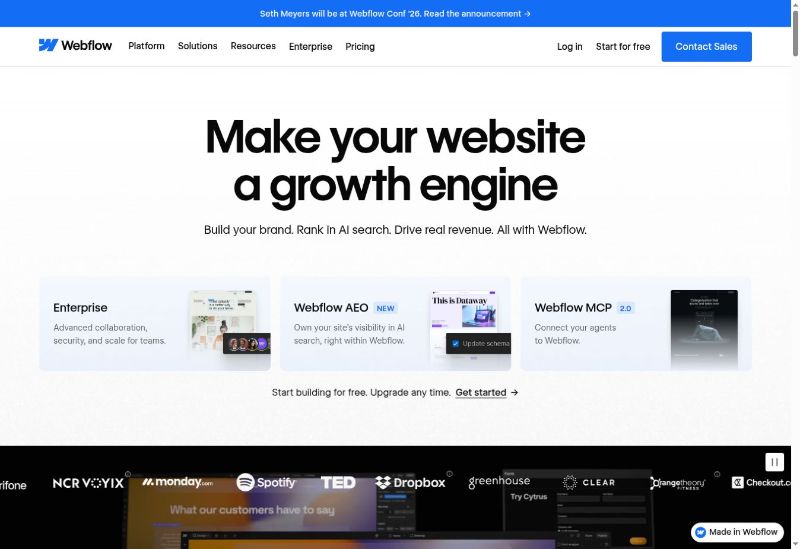
Webflow is a visual website platform aimed at designers, marketing teams, agencies, developers, and enterprises. It lets users build responsive websites through a visual interface while producing HTML, CSS, and JavaScript underneath.
Its current platform includes:
- A visual site designer with responsive controls and interactions
- A native CMS for structured and dynamic content
- Managed hosting and publishing
- Webflow AI for generating and modifying sites, designs, copy, and code
- Webflow Ecommerce for products, carts, checkout, and order management
- Localization for translated and region-specific site experiences
- Collaboration, roles, permissions, publishing workflows, and enterprise governance
- Webflow Analyze and Optimize for site performance and experimentation
- Code components, Webflow Cloud app hosting, APIs, and Webflow MCP
Webflow describes itself as an agentic web platform for modern businesses. Its 2026 product is broader than the no-code website builder many people remember. Even so, its center of gravity remains the website: how it looks, how content is structured, how teams manage it, and how it performs as a digital experience.
What is Willo?
Willo is an AI business builder for people who want to turn an idea into a functioning business or operational system. It is relevant to founders, operators, solopreneurs, agencies, local businesses, and nontechnical users.
Instead of starting with a design canvas, users describe what they want to build. Willo can then research the opportunity and create the website, app, software, database, automations, payment setup, content, and other business assets. Its agents can continue helping with areas such as product, research, marketing, content, support, and finance.
Willo also emphasizes ownership. Its current materials state that customers own their GitHub repository, hosted site, Stripe account, email list, content, and other business assets.
Webflow vs Willo: feature-by-feature comparison
Website creation and design control
Webflow gives users direct, granular control over layout, typography, responsive behavior, animations, and interactions. It is particularly useful when a designer wants to translate a detailed visual system into a production website without handing every change to a developer.
Webflow AI can shorten the blank-page stage. Its AI product page says users can generate a site from a prompt, modify designs, create copy, generate code, and optimize for conversions. The result still lives inside Webflow's site-building environment, where a user or team can refine it.
Willo uses a more delegated workflow. You describe the business and desired result, then AI agents build and ship the relevant assets. That can include a website, but Willo's value is not pixel-level manual editing. It is the ability to connect the site to a broader business build, including the offer, application, backend, payments, content, and operating workflows.
Practical distinction: Webflow gives you a sophisticated set of website-building controls. Willo gives you an AI team oriented around delivering a business outcome.
AI capabilities
Both products use AI, but their AI is applied at different levels.
Webflow AI works inside the web platform. It can help create a website, change visual elements, draft or revise copy, generate code, and support optimization. Webflow MCP also allows compatible AI tools and agents to connect to Webflow workflows.
Willo applies AI across the business. Its agents can research an idea, define a product, build software, create marketing and content, and assist with support and finance. The user communicates primarily through chat and approves consequential actions.
For a marketing team that wants AI embedded in a professional website workflow, Webflow is the more natural fit. For a solo operator who wants AI to take on multiple business functions, Willo has the broader operating model.
CMS and content-heavy websites
Webflow has a mature visual CMS. Teams can create collections, define structured fields, design reusable templates, and let editors update content without rebuilding page layouts. The current Premium Site plan supports up to 20,000 CMS items and 40 collections, according to Webflow's May 2026 pricing update.
This makes Webflow a strong option for editorial sites, resource centers, landing-page programs, directories, and marketing sites with substantial structured content.
Willo can create content systems and database-backed experiences for a project, and its content and marketing agents can help produce and manage materials. However, Willo does not present itself as a direct replacement for Webflow's visual CMS editing workflow.
Apps, databases, authentication, and APIs
Webflow is no longer limited to static marketing sites. Webflow Cloud supports deploying web apps alongside a Webflow site, while code components allow teams to bring React-based components into the design system. Its platform also offers APIs, app integrations, and MCP connectivity.
Willo approaches this category from the opposite direction. All Willo plans support backend capabilities such as databases, authentication, and APIs. A custom app, internal tool, marketplace, member experience, or workflow can be part of the initial business build rather than an extension added to a website platform.
Webflow may be preferable when an experienced design or development team wants apps to live within an established Webflow web stack. Willo may be preferable when a nontechnical user wants the custom application and business infrastructure delivered together.
Ecommerce and payments
Webflow Ecommerce provides native product, cart, checkout, and order-management capabilities. Users can visually customize much of the storefront experience. Webflow also documents subscription use cases that combine Ecommerce with User Accounts.
Willo can create ecommerce sites and payment workflows as part of a business. Its paid plans document Stripe Connect support, which is relevant to platforms and marketplaces that need to route payments between multiple parties.
Webflow is the more established choice for a design-led storefront built within a visual website platform. Willo is worth considering when commerce is one component of a custom business model that also needs backend logic, automation, or marketplace functionality.
Localization
Webflow Localization supports localized static pages and CMS content, translated SEO settings, localized URLs, routing, and localized styles and assets. Its Advanced localization add-on starts at $29 per month, with pricing affected by the number of locales.
Willo can build experiences for a specific market and generate content, but its public pages do not describe a directly comparable, packaged visual localization system. For a global marketing team that needs editors to manage multiple locale versions inside the same website platform, Webflow has the more clearly documented offering.
Collaboration, permissions, and handoff
Webflow offers site roles, permissions, client seats, publishing controls, shared libraries, and enterprise governance. These features are useful to agencies and larger web teams that need to separate design, content, review, and publishing responsibilities.
Willo's collaboration model centers on the user working with AI agents and approving important decisions. Its ownership approach can simplify technical handoff because the customer owns the GitHub repository and associated accounts. However, Willo's public materials do not describe a role-and-permission system as extensive as Webflow's web-team governance tools.
Hosting, deployment, and ownership
Webflow Site plans include managed hosting. A paid Site plan is required to use a custom domain. Webflow also offers Cloud app hosting for applications deployed alongside the site.
Static code export is available on eligible paid Workspace plans. According to Webflow's code export documentation, exported files can include HTML, CSS, JavaScript, and assets. Important functionality does not travel with a static export: CMS content and databases, Ecommerce, User Accounts, code components, localized pages, and other platform-dependent functions are excluded. An exported static site can be hosted elsewhere without an active Webflow plan, but those excluded features need separate replacements.
Willo states that customers own the GitHub repository, hosted site, Stripe account, email list, content, and business assets. This can be attractive to users who want the implementation and operating accounts under their control from the beginning.
SEO, analytics, and optimization
Webflow includes visual controls for technical and on-page website settings, and its broader platform now includes Analyze, Optimize, and AEO-oriented capabilities. Some of these are separate products, add-ons, or higher-tier features, so buyers should check the exact package required.
Willo's Growth Engine and marketing agents approach growth more broadly. They can help with research, content, marketing work, and business execution rather than only site configuration. Willo may therefore reduce the number of separate tasks an owner has to coordinate, while Webflow gives a specialist team more direct control over the web experience.
Webflow vs Willo pricing
Webflow pricing
| Webflow plan | Current price | Key use case and inclusions |
|---|---|---|
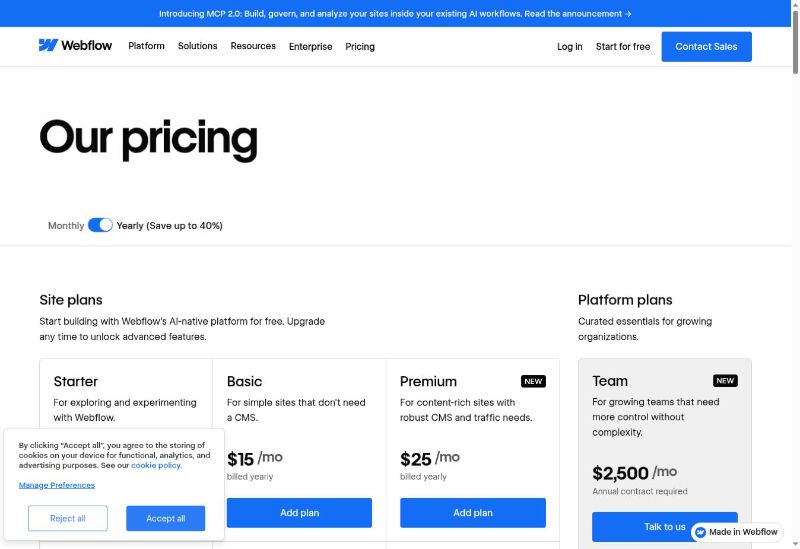
| Starter Site | Free | Webflow.io domain, 2 static pages, limited CMS, 1 GB bandwidth, 50 form submissions, Webflow AI, MCP, and Cloud app hosting access |
| Basic Site | $15/month billed yearly or $25 monthly | Simple sites without a CMS; custom domain, up to 300 static pages, 10 GB bandwidth, unlimited form submissions, and password protection |
| Premium Site | $25/month billed yearly or $39 monthly | Content-rich sites; CMS, up to 20,000 CMS items, 40 collections, code components, site search, file uploads, and higher traffic capacity |
| Team platform | $2,500/month, annual contract | Site and Workspace capabilities, Localize, AEO agents, publishing workflows, activity log, API access, governance, security, and priority support |
| Enterprise | Custom | Custom scale, security, governance, and support requirements |
Webflow pricing requires careful reading because a Site plan and a Workspace plan solve different needs. A Site plan is attached to a published site. Workspace plans cover how teams and agencies stage, collaborate on, and manage projects. Depending on the setup, a buyer may pay for both, plus optional products such as Localization, Analyze, Optimize, additional bandwidth, or extra AI credits.
Webflow currently allocates monthly AI credits by Workspace tier: 200 on Starter, 300 on Freelancer, and 400 on Agency. Additional credits are sold separately. Agency costs $35 per month when billed yearly. Buyers should verify current credit usage rules before forecasting AI-heavy production.
Willo pricing
| Willo plan | Current price | Credits and business allowance |
|---|---|---|
| Free | $0 | 40 one-time credits and up to 2 businesses |
| Starter | $25/month | 150 credits per month and up to 3 businesses |
| Builder | $49/month | 300 credits per month and up to 6 businesses |
| Growth | $99/month | 600 credits per month and up to 12 businesses |
Willo says chat itself is free and credits are used when work is shipped. The backend is provisioned from the Free plan onward. Paid tiers add more business and growth tools, including the Autonomous Growth Engine, Stripe Connect, email sending and contacts, and analytics.
The prices are not directly comparable unit for unit. Webflow primarily prices sites, workspaces, platform packages, and add-ons. Willo prices the output of an AI business-building and operations system across a stated number of businesses. The better value depends on whether you are buying a website platform or delegating a broader bundle of business work.
Ease of use and onboarding
Webflow's AI site builder can help a beginner generate a starting point, but the full Designer has substantial depth. Its layout model, classes, responsive breakpoints, CMS structure, interactions, and publishing controls reward users who understand web design concepts. This depth is a strength for professionals and a learning commitment for beginners.
Public user feedback reflects both sides. The G2 page accessible during this research displayed a 4.4 out of 5 rating from 995 reviews, and reviewers commonly praise Webflow's design flexibility and professional workflows. Some reviewers also describe a steep learning curve. Trustpilot showed a much lower TrustScore of 1.5 out of 5 from 232 reviews, with visible complaints involving support, billing, pricing changes, and product complexity.
Willo is designed for a conversational start. A user explains the desired outcome and reviews what the agents produce. It is likely to feel more accessible to someone who does not want to learn a visual web-production system. The tradeoff is that users looking for continuous, hands-on control over every CSS-style decision may prefer Webflow's editor.
Who is Webflow best for?
Webflow is a strong fit for:
- Designers who want precise visual and responsive control
- Marketing teams managing a sophisticated brand website
- Content teams that need a structured visual CMS
- Agencies building and handing off websites to clients
- Enterprises that need permissions, governance, security, and publishing workflows
- Teams that want localization, experimentation, and analytics in the same web platform
- Developers who want to combine visual website production with components or Webflow Cloud apps
Who is Willo best for?
Willo is a strong fit for:
- Nontechnical people who have a business or product idea but do not want to assemble a team and tool stack
- Solopreneurs who want help building and operating several parts of a business
- Operators who need a custom app, backend, database, automation, or internal system
- Local businesses that need a site plus payments, workflows, content, and growth support
- Agencies that want to launch multiple owned businesses or build operational assets
- Users who value GitHub and account ownership without personally managing the implementation
Webflow pros and cons
Webflow pros
- Deep visual control over responsive websites and interactions
- Strong native CMS for structured, content-rich sites
- Mature hosting, publishing, and professional web workflows
- AI-assisted site, design, copy, and code creation
- Native ecommerce and packaged localization capabilities
- Roles, permissions, client collaboration, and enterprise governance
- Growing developer surface through APIs, code components, MCP, and Cloud app hosting
Webflow cons
- The full platform can take time to learn
- Site, Workspace, platform, and add-on pricing can be difficult to model
- Static code export does not include CMS, Ecommerce, User Accounts, localization, or other platform-backed functionality
- It remains primarily website-centered, even as its app and agent capabilities expand
- Public review feedback includes recurring complaints about support, billing, and the impact of product or pricing changes, though those reports are anecdotal
Willo pros and cons
Willo pros
- Covers websites, apps, backend systems, automations, content, and operations in one conversational workflow
- Designed for nontechnical users as well as operators, agencies, and solopreneurs
- Business agents support research, product, marketing, content, support, and finance work
- Paid plans support databases, authentication, APIs, and Stripe Connect
- Customers retain ownership of the GitHub repository and core business accounts and assets
- One subscription can cover multiple businesses, depending on the plan
Willo cons
- It is not a direct substitute for Webflow's visual CMS and pixel-level design workflow
- Credit-based delivery requires users to monitor how much shipped work their plan supports
- Users still need to review output and approve important decisions
- Teams that need mature web-specific roles, permissions, localization, and publishing governance may find Webflow more specialized
When to choose Webflow

Choose Webflow if the website is the central asset and you want your team to actively shape it. It is especially compelling when brand expression, responsive detail, reusable design systems, animations, structured content, and editorial workflows matter more than delegating the entire business build.
Webflow is also the more natural choice for an established marketing organization that already has designers, developers, content editors, and approval processes. Its enterprise and agency features are built around that division of work.
When to choose Willo
Choose Willo if your real goal is not merely to publish a website. If you want to test a business idea, build a custom application, create a database and authentication layer, automate operations, set up payments, generate content, and continue receiving execution support, Willo's broader scope may remove more work from your plate.
It is particularly relevant when you do not want to become proficient in a website-building platform. Instead of controlling every element directly, you define the outcome, review progress, and approve important actions.
Frequently asked questions
Is Willo a Webflow alternative?
Yes, but it is not a like-for-like replacement. Willo is an alternative for someone whose underlying search is, "How do I turn this business idea into something real?" Webflow is better matched to someone asking, "How do I design, manage, and optimize a professional website?"
Is Webflow better than Willo for website design?
Webflow offers more direct visual control, a dedicated CMS, interactions, responsive tooling, and web-team workflows. It is therefore the stronger option for hands-on, design-led website production. Willo is better suited to users who want a website delivered as one part of a broader business or software system.
Can Webflow build web apps?
Webflow now supports app-oriented work through Webflow Cloud, code components, APIs, integrations, and MCP. The exact architecture and plan requirements depend on the project. Willo also builds custom apps and, on all plans, supports backend features such as databases, authentication, and APIs.
Can I export a Webflow site?
Eligible paid Workspace plans can export static HTML, CSS, JavaScript, and assets. Webflow's documentation states that CMS content and databases, Ecommerce, User Accounts, code components, localized pages, and other platform-dependent functions are not included in static export.
Which platform is easier for a nontechnical business owner?
Willo's chat-led workflow is likely to require less web-production knowledge. Webflow's AI builder can accelerate the starting point, but taking full advantage of Webflow's Designer, CMS, interactions, and responsive controls still involves a learning curve.
Which is cheaper, Webflow or Willo?
Webflow's Basic Site plan starts lower at $15 per month billed yearly, while Willo Starter is $25 per month. That comparison is incomplete, however. Webflow can involve separate Site, Workspace, and add-on charges, while Willo covers AI-delivered business work and multiple businesses according to the chosen plan. Compare the complete workflow and required add-ons, not only the entry price.
Does Willo replace a Webflow designer or agency?
Willo can reduce the need to coordinate separate people for research, building, content, automation, and operations. It does not reproduce Webflow's specialist visual design interface or every agency collaboration workflow. A design-intensive brand may still benefit from a Webflow professional, while a user prioritizing launch speed and operational breadth may prefer Willo.
Conclusion: Webflow for web craft, Willo for business execution
Webflow and Willo overlap at website creation, but their ambitions are different.
Webflow is a sophisticated platform for people and teams who want to design, manage, and improve the web experience themselves. Its visual controls, CMS, hosting, interactions, collaboration, localization, and enterprise tooling make it a strong choice for professional marketing sites and content programs.
Willo starts with the business outcome. It can create the website, but it can also build the app, database, backend, automations, payments, content, and operating systems around it. That makes it a stronger fit for a nontechnical business builder or operator who wants a coordinated AI team rather than another production tool to master.
If that broader outcome is what you need, start building with Willo today.