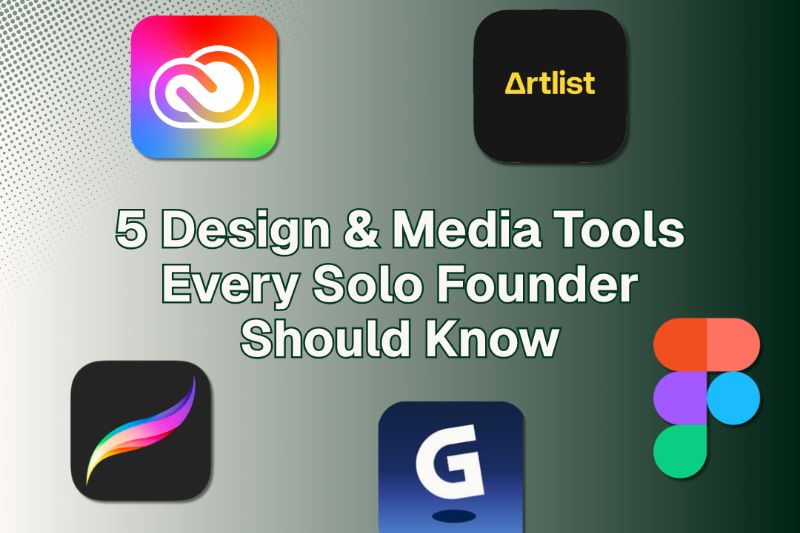
As a solo founder, you don't need a full design team to create a professional brand. Figma lets you wireframe and prototype fast, while Adobe Creative Cloud handles everything from logos to marketing visuals. Procreate turns your iPad into an illustration studio, Gamma uses AI to build polished presentations instantly, and Artlist gives you unlimited royalty-free music and footage. Stick around to discover which tools fit your workflow best.
Key Takeaways
- Figma enables solo founders to design wireframes, mockups, and polished UI prototypes with real-time collaboration and reusable design systems.
- Adobe Creative Cloud covers brand identity, marketing visuals, and print assets through tools like Photoshop, Illustrator, and InDesign.
- Procreate transforms an iPad into an illustration studio for creating logos, custom icons, and handcrafted visual identities.
- Gamma uses AI to automatically generate polished presentations, documents, and webpages from a single prompt with minimal effort.
- Artlist provides a flat annual subscription for unlimited royalty-free music, sound effects, and stock footage for commercial projects.
Figma
Figma is a browser-based design tool that lets you build wireframes, mockups, and full UI prototypes without installing anything.
Whether you're sketching an early concept or refining a polished user interface, Figma keeps your workflow fast and flexible. You can build reusable design systems to maintain visual consistency across every screen, and prototyping tools let you simulate real user interactions before writing a single line of code.
Figma plugins extend functionality further, automating repetitive tasks like icon sourcing, content population, and design accessibility checks.
Collaborative design is built in by default, meaning clients or collaborators can leave feedback directly on your file in real time. For solo founders, that eliminates back-and-forth emails and keeps everyone aligned without extra coordination tools.
Adobe Creative Cloud
Where Figma excels at interface design and prototyping, Adobe Creative Cloud covers the broader creative territory that solo founders regularly need — brand identity, marketing visuals, video content, and print-ready assets.
Adobe features span Photoshop for image editing, Illustrator for scalable vector graphics, Premiere Pro for video, and InDesign for print layouts.
These creative tools let you build and refine digital assets across every channel you're publishing to.
The user experience across apps feels consistent, and design collaboration has improved markedly with cloud-based libraries and shared assets.
You can store brand colors, logos, and templates centrally, keeping everything aligned as you iterate.
Media editing across formats — social graphics, pitch decks, product visuals — stays efficient when your tools talk to each other.
Adobe Creative Cloud makes that possible without switching platforms constantly.
Procreate
Procreate turns your iPad into a full illustration studio, giving solo founders a tactile way to sketch logos, create custom icons, and develop brand visuals directly with an Apple Pencil.
You'll find thousands of Procreate brushes that mimic real media, from ink to watercolor, letting you build a visual identity that feels genuinely handcrafted.
Use Procreate color palettes to lock in your brand colors early, ensuring consistency across every asset you create.
Your Procreate workflow stays flexible; you can iterate quickly, export layers, and adapt designs without starting over.
If you're new, Procreate tutorials on YouTube and Skillshare cover everything from basic strokes to advanced lettering.
For founders who think visually, it's one of the most direct paths from concept to polished brand asset.
Gamma
Everything you need to pitch investors, onboard clients, or explain your product lives inside Gamma's AI-powered editor. You describe your topic, and Gamma handles the layout, visuals, and structure automatically through automation.
There's no wrestling with slide alignment or font sizing. You stay focused on your message while AI design handles the aesthetic decisions in real time.
Gamma generates polished decks, documents, and webpages from a single prompt, giving you a visual-first format that adapts to any screen.
Need to tweak the tone or restructure a section? You just ask. Gamma iterates alongside you, making it easy to refine without starting over.
For solo founders who need to communicate clearly and move fast, it removes the busywork entirely.
Artlist
Music, sound effects, and footage licenses can quietly drain a solo founder's budget and time—Artlist solves this with a flat annual subscription that grants unlimited, royalty-free assets cleared for commercial use.
The artlist benefits compound quickly when you're iterating on video content alone:
- Music library – curated tracks filtered by mood, genre, and energy
- SFX collection – thousands of production-ready sound effects
- Stock footage – high-quality clips for ads, explainers, and social content
- Simple licensing – one license covers all commercial projects indefinitely
- Creator-focused UI – fast search, previews, and direct downloads
If you're weighing artlist alternatives, consider Epidemic Sound or Musicbed. Both offer strong catalogs, but Artlist's footage bundle makes it a more complete package for solo founders producing visual content independently.
Bonus: Willo
Once you've assembled your design and media stack, the next layer worth considering is how you actually run the business behind it—and that's where Willo fits in.
While your creative tools handle visuals and content, Willo handles everything underneath: market research, website deployment, payments, marketing, and customer support.
Through AI automation, seven specialized agents work continuously to keep your business moving without constant manual input. You describe your idea, and Willo builds and operates the system around it.
For solo founders, this matters because your time is finite. Rather than managing disconnected tools, Willo gives you a single operating layer that supports business scalability from day one.
Think of it as the engine running quietly behind your brand while you stay focused on creative direction.
Frequently Asked Questions
How Do Solo Founders Manage Design Tools on a Tight Budget?
You manage design tool selection by prioritizing free tiers like Canva or Figma, then upgrading only when necessary. Lean on budget friendly resources, test iteratively, and let user feedback guide your visual decisions.
Can Non-Designers Build a Professional Brand Without Hiring Anyone?
Yes, you can build a professional brand without hiring anyone. Master branding basics, experiment with DIY design tools, and iterate visually until your identity clicks. Platforms like Willo even automate the process, keeping everything user-centric from day one.
Which Tools Integrate Best With Each Other for a Streamlined Workflow?
You'll maximize tool compatibility and workflow efficiency by pairing Canva with Notion for visual planning, connecting analytics to your site, and letting Willo's integrated agents handle payments, content, and marketing seamlessly together.
How Much Time Should Solo Founders Realistically Spend on Design Tasks?
You shouldn't spend more than a few hours weekly on design tasks. Focus your time allocation on high-impact design priorities like your homepage and visuals. Iterate quickly, keep users central, and let tools like Willo handle the rest.
Are Free Versions of These Tools Enough to Launch a Real Business?
Yes, free versions cover essential features for launching. You'll hit free tool limitations as you scale, but they're enough to start visually strong, test your ideas iteratively, and validate real demand before upgrading anything.
Conclusion
You don't need a full creative team to build a brand that looks the part. With tools like Figma, Adobe Creative Cloud, Procreate, Gamma, Artlist, and Willo, you've got everything you need to design, create, and communicate your vision confidently. Start with what fits your workflow, experiment as you grow, and keep refining. The right tools won't just save you time — they'll make your brand impossible to ignore.