Lindy is an AI teammate for teams that already have tools. You connect Slack, email, calendar, CRM, and other apps. People @mention Lindy in threads. It looks things up, drafts replies, schedules, takes meeting notes, and runs scheduled routines. Actions with outside impact wait for approval.
That is a different job from an AI company-in-a-box. Lindy is strongest when a company already exists and the bottleneck is labor (inbox, meetings, follow-ups). It is a weaker match if you mainly need research, a brand, a public marketing site, Stripe, and agents that operate the business after publish.
Curious how it stacks up against Willo? Check out our comparison between Lindy and Willo.
What is Lindy?
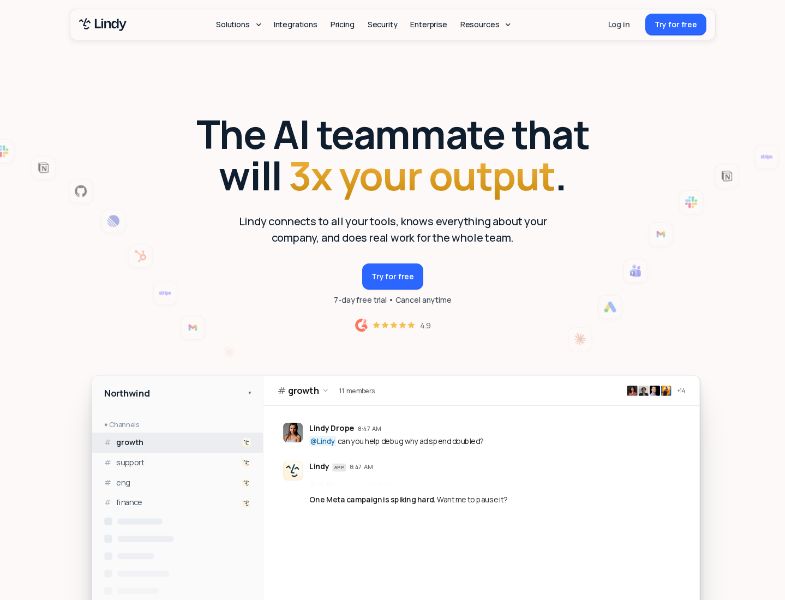
Lindy is an AI employee that connects to your tools, learns your company context, and does work for the whole team.
Two product stories appear in public materials:
- Teammate: Slack-native assistant, iMessage, inbox, meetings, computer use, MCP.
- Agent builder: no-code AI agents for email, scheduling, lead enrichment, and call summaries.
The current marketing site leads with the Teammate product. Some third-party listings still describe the older agent-builder story. This review follows the live Teammate offering as the primary product.
How Lindy works
A typical path looks like this:
- Try via Slack (new joiners: 7-day trial) or sign up at chat.lindy.ai (direct signups billed immediately).
- Connect tools (Gmail, Slack, HubSpot, etc.).
- @mention Lindy or run scheduled routines.
- Approve anything with outside impact (send, post, update a ticket, publish a doc). Read-only lookups from approved sources skip approval.
- Work consumes credits from a workspace pool. If the pool is empty, credit-using actions pause until reset, top-up, or plan change.
Key features
Slack-native teammate
Threads, mentions, persistent workspace context, scheduled routines, daily briefs. Anyone who uses Lindy — including a first @mention — takes a seat.
Inbox and meetings
Drafts in your voice; connected-inbox limits: Plus 2, Pro 3, Max/Enterprise 5. Meeting recording, notes, scheduling, prep, follow-up. iMessage 24/7 is listed on all compared plans.
Skills, computer use, MCP
Lindy includes 40+ skills plus custom skills, computer use, MCP, thousands of integrations, and the ability to pick a model per task.
Credits
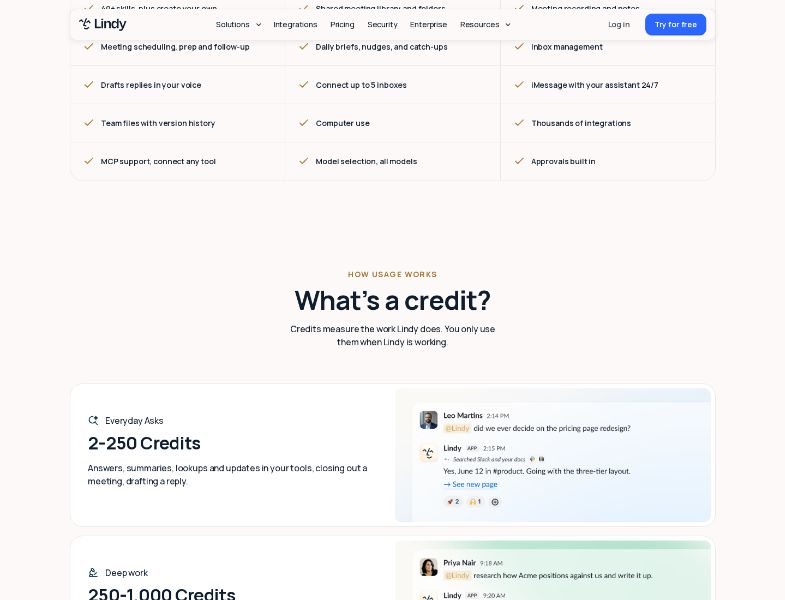
Credits measure the work Lindy does — about one cent each. Typical bands:
| Band | Credits | Examples |
|---|---|---|
| Everyday asks | 2–250 | Answers, summaries, lookups, draft a reply, close a meeting |
| Deep work | 250–1,000 | Competitor research, a day’s support queue, a week of calls → proposal, basic HTML |
| Big builds | 1,000–2,500 | Dashboards/decks from CRM, internal tools, heavy scheduled workflows |
Plan credits refresh each cycle and do not roll over. Top-ups at $10 / 1,000 credits carry over. Admins can cap a teammate’s draw.
Security
Lindy encrypts data, does not sell it, and does not use it to train models. Public materials list SOC 2 and GDPR. Enterprise adds SSO, SCIM, audit logs, and HIPAA with a signed BAA. A Trust Center is available for report requests. The homepage FAQ also mentions PIPEDA. See lindy.ai/security.
Pricing and plans
| Plan | Price | Credits / user / mo |
|---|---|---|
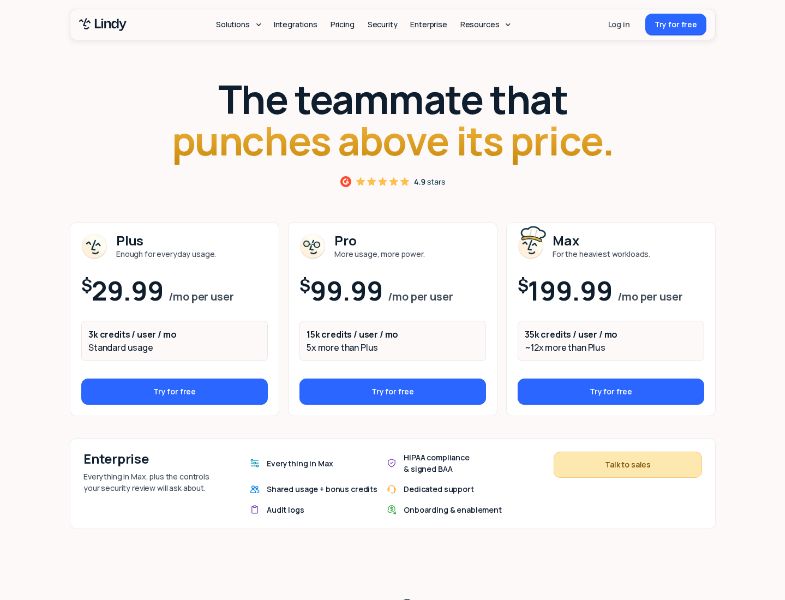
| Plus | $29.99/user/mo | 3,000 |
| Pro | $99.99/user/mo | 15,000 |
| Max | $199.99/user/mo | 35,000 |
| Enterprise | Custom | Custom |
Documentation sometimes rounds those prices to $30 / $100 / $200. Confirm the current figure at checkout.
One workspace bill; credits pool. Remove a seat and it remains through the cycle, with no mid-cycle proration. Upgrades are immediate; downgrades take effect at the end of the term. Payments are handled through Stripe.
Trial: Slack joiners get one week, once per teammate. Returning users skip the trial. Direct signup is billed immediately.
Cancel: the workspace stays active through the paid cycle; then credit-using actions stop.
What this means: five Plus seats is about $150/mo before top-ups. Heavy “big builds” can burn a Plus allotment quickly (one 2,500-credit job is most of 3,000). Some G2 reviewers mention cost and credit burn, which matches that math.
User feedback and reputation
G2 rates Lindy 4.9 / 5 from 171 reviews (95% five-star, 3% four-star).
Reviewers frequently praise:
- Ease of use
- Automation
- An intuitive interface
- Time savings
- Easy setup
The most common criticisms involve:
- High pricing and limited credits, including paying for error retries
- Subscription cost when scaling
- A learning curve despite the no-code positioning
Individual reviews also mention credits depleting fast. Those are individual experiences, not a census of every user.
Pros and cons
Pros
- Real Slack/inbox/meeting copilot with approval gates
- Shared credit pool and a documented pause instead of surprise bills
- Model choice, MCP, computer use
- SOC 2 / GDPR; Enterprise HIPAA BAA
- High G2 rating with a meaningful review count
Cons
- Per-seat cost adds up; @mentions create seats
- Plan credits do not roll over
- Direct signup is not free
- Not a public-company builder (no GitHub marketing site, Stripe Connect store, or brand system)
- Learning curve and credit opacity show up in G2 cons
Limitations and challenges
- Seat sprawl. Slack culture can accidentally bill people.
- Credit opacity. Bands are ranges, not a public token table.
- No proration on seat removal or cancel.
- HIPAA is listed on Enterprise, not Max.
- Overage. If the pool runs out, credit-using actions pause rather than generating a surprise bill.
Who Lindy is best for
- Teams drowning in Slack, email, and meetings
- Companies that want an AI employee with approvals
- Orgs that need a vendor security packet (SOC 2, optional HIPAA)
Who may want an alternative
- People whose real need is a new company (site, brand, payments)
- Solopreneurs who will not pay $30+/user for Slack AI
- Teams that must own a GitHub website as the product
- Buyers who need a forever-free tier
Willo as an alternative
Willo is an AI business builder, not a Slack teammate. You describe an idea. Agents research, brand, deploy a website to your GitHub repo, and keep working on content and operations. Chat is free; credits pay for shipped work. Plans: Free $0 (40 credits), Starter $25, Builder $49, Growth $99, Scale $199.
Frequently asked questions
Is Lindy free?
A 7-day Slack trial for new joiners. Direct signups are billed immediately. There is no forever-free plan.
What is the cheapest paid plan?
Plus at $29.99 per user per month.
Do unused credits roll over?
Plan credits no; purchased top-ups yes.
Will Lindy send email without asking?
Actions with outside impact wait for approval.
Is Lindy SOC 2 / HIPAA?
SOC 2 and GDPR are listed on public security and pricing materials. HIPAA with a BAA is listed on Enterprise.
Conclusion
Lindy is a polished AI employee for teams that already have a stack. Price it per seat and per credit band. Do not expect a public brand, App Store app, or GitHub-owned company site to come with the Slack bot.
If what you actually wanted was the business around the teammate, start free on Willo.