The growing landscape of automation tools presents founders and teams with a difficult choice: do you want a system that builds an entire business for you, or a platform that lets you design intricate automations across your existing stack? Willo and Make.com (formerly Integromat) sit at opposite ends of that spectrum. Willo claims to turn ideas into live, revenue‑generating businesses with minimal user input, while Make.com is a visual automation platform aimed at connecting your apps and orchestrating complex workflows. This article compares the two, examining how they work, what they offer, who they’re for, and why you might choose one over the other.
Willo: Automating the creation and growth of a business
A business builder at its core
Willo positions itself not merely as a tool but as a business‑building system. A team of AI agents will actually build, run and grow the business. This begins with the user outlining an idea—such as a subscription product, online course, or niche blog—and ends with a functioning business complete with infrastructure, branding, and marketing.
A fully provisioned stack
One of Willo’s key differentiators is that it provisions and configures the entire technical stack. As soon as a business concept is entered, the platform automatically sets up payment processing (via Stripe), a custom‑coded website hosted on a unique subdomain, code hosting on GitHub with cloud infrastructure, analytics, growth tools and transactional email. Founders do not need to sign up for separate services or connect them manually; Willo handles that integration out of the box. This approach aims to shorten the time from idea to launch, allowing businesses to accept payments and publish content immediately.
Multi‑agent execution engine
Unlike typical “AI assistants,” Willo operates through a team of specialized AI agents. Each agent focuses on a distinct business function: a CEO agent sets strategy and delegates, a Product agent builds and updates the website, a Research agent conducts market analysis, a Marketing agent runs campaigns, a Content agent writes SEO‑optimized articles, a Support agent handles customer inquiries, and a Finance agent monitors revenue and costs. These agents collaborate in ongoing plan‑execute‑reflect cycles, continuously experimenting with content, adjusting marketing strategies and iterating on the product.
Who benefits and why
For entrepreneurs and small teams, the biggest hurdle is often execution, not ideation. Building a site, configuring payments, writing content, running ads, and handling customer support require diverse skills and multiple tools. Willo compresses these responsibilities into an all‑in‑one system. By automating infrastructure and operations, it lowers the barrier to entrepreneurship, allowing people to validate ideas or operate side hustles without hiring developers, marketers or support staff. However, this integration also means users have limited control over the stack or design, and the platform’s pricing model has not yet been disclosed publicly.
Make.com: A visual workflow and AI orchestration platform
What is Make.com?
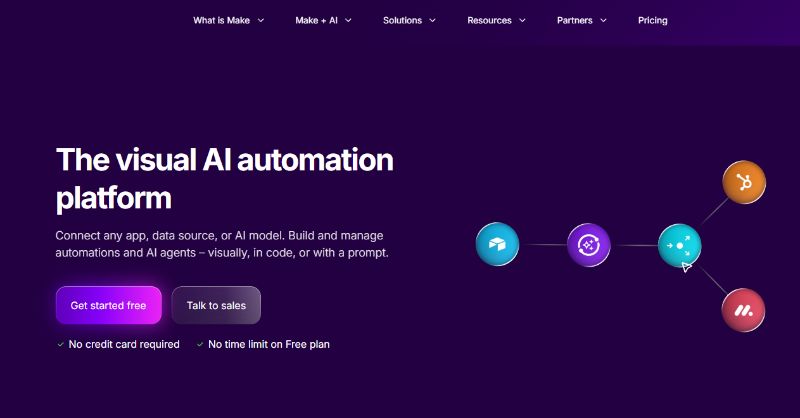
Make.com (previously Integromat) is a low‑code/no‑code visual automation platform. According to a review, it connects apps through a visual builder and offers advanced features like branching, scheduling and error handling, allowing it to handle complex business workflows. Unlike simple linear “if this then that” tools, Make uses a canvas where users map out scenarios (workflows) by connecting modules (app actions) with lines. A comprehensive guide notes that this visual paradigm is not just aesthetic—it lets users literally see data flow through multi‑step automations, which aids debugging.
Core features
The key features that distinguish Make.com include:
- Visual scenario builder – Drag‑and‑drop modules allow users to link apps into multi‑step workflows. Each scenario starts with a trigger (e.g., new form submission) and processes data through connected actions.
- Advanced logic tools – Make natively supports routers, filters, iterators and aggregators to branch workflows, apply conditions and handle arrays. It also includes error handlers that define whether to ignore, retry or roll back failed steps, ensuring that workflows don’t stall.
- Flexible scheduling – Scenarios can run on timed intervals or be triggered instantly via webhooks.
- Execution logs and data stores – Every run records detailed logs to aid troubleshooting, and built‑in data stores hold reusable data for scenarios requiring state.
- Wide integrations – The platform supports thousands of apps covering CRMs, marketing tools, databases and more. The official site advertises 3,000+ pre‑built apps and the ability to connect custom systems.
- Enterprise security and compliance – Make.com offers GDPR and SOC 2 compliance and supports single sign‑on.
How Make.com works
Building an automation (called a scenario) typically follows a standardized process:
- Choose a trigger – Start with an event like a new row in a spreadsheet or a webhook call. Make supports instant webhooks for real‑time processing.
- Add actions – Drag modules onto the canvas to perform tasks such as sending emails, updating CRM records or calling an API.
- Apply conditions – Use routers and filters to split data into different paths.
- Handle errors – Attach error handlers to decide how the system reacts when a module fails—ignore, retry or roll back.
- Test and schedule – Run the scenario with sample data and schedule it on a timer or rely on instant triggers.
- Monitor runs – Use detailed logs to inspect each step and troubleshoot issues.
This flexibility allows Make to manage complex workflows that involve data transformation, conditional logic and error recovery.
AI and the 2026 enhancements
Make.com isn’t just a connector; it is evolving into an AI orchestration layer. The AI Flow Review highlights that Make treats AI like a production component, emphasising visibility and control over novelty. New features include:
- Next‑generation AI agents on the canvas – Users can build agent blocks alongside traditional modules, enabling multi‑step goals and multi‑modal inputs (files, images).
- Reasoning panel – A panel shows how the agent made decisions, which is valuable for debugging and compliance.
- In‑canvas chat and natural language build assistant – Users can converse with the system to test prompts or even draft scenarios in natural language.
- Make Grid – A visual map that offers oversight across multiple scenarios, helping users see where workflows connect and identify bottlenecks.
- Multiple AI integrations – Make integrates with models from OpenAI, Anthropic and Google, allowing users to choose the right model for cost, speed and accuracy.
Pros, cons and who should use Make.com
Pros include complex branching via routers and iterators, detailed logs for troubleshooting, cost efficiency at scale due to its credit‑based model, and a broad library of integrations. However, there are trade‑offs: the visual builder has a steep learning curve; some users report mixed support experiences; and the credit‑based pricing can be confusing, making it harder to estimate costs. Some people consider Make “the most powerful visual automation platform” with AI scenario builder, enhanced error monitoring, improved API modules and team workspaces. Make is best for complex workflows and data handling, while simpler two‑step automations are better handled in Zapier.
Make suits operations and RevOps teams, technical marketers, IT and support teams and data‑heavy projects that need robust branching and error management. It may not be ideal for simple automations or for users who want predictable task‑based pricing.
Comparing Willo and Make.com
Scope and purpose
Willo aims to launch and operate an entire business. It provides the website, payment infrastructure, content, marketing, customer support and financial monitoring. Make.com, by contrast, focuses on connecting existing apps and orchestrating workflows. It does not create websites or manage payments; rather, it moves data between systems. Willo compresses the complexity of business creation, while Make empowers users to design bespoke workflows across tools they already use.
Approach to AI
Both platforms incorporate AI, but the approaches differ. Willo uses a multi‑agent system where each agent autonomously executes business functions like building sites, writing articles and running ads. Make.com integrates AI through modules and new agent blocks on the canvas, but the AI primarily assists with tasks (e.g., classifying data, generating content or decisions) within the context of a scenario. Make emphasises visibility, giving users a reasoning panel and logs to understand how AI decisions are made.
Automation complexity
Willo is opinionated: it uses a fixed stack and processes; users have limited options to customize the underlying code or pick and choose services. That simplicity reduces setup time but limits flexibility. Make.com offers fine‑grained control. Users design workflows by connecting modules, adding conditional paths and error handlers, iterating over lists, and integrating any REST API. This is powerful for complex processes but comes with a steeper learning curve and more responsibility for maintenance.
Integrations and extensibility
Make.com boasts 3,000+ pre‑built app integrations and the ability to connect to any REST API. Users can also embed AI models of their choice and create custom modules. Willo, on the other hand, focuses on its own integrated stack. It includes essential components like payments, hosting and analytics but does not offer the breadth of external integrations that Make provides. For businesses that already rely on numerous SaaS tools, Make may provide better connectivity.
Pricing and cost considerations
Make.com uses a credit‑based pricing model. The free plan includes a certain number of credits, with paid plans starting around $10.59 per month. Credits correspond to the number of operations (modules executed). While this can be cost‑efficient at scale, it requires monitoring and can be confusing for new users. Willo’s pricing is transparent and structured across three clearly defined plans, Starter, Growth, and Scale, each with set allocations for credits and autonomous agent runs. The Starter plan focuses on core capabilities like AI business strategy, agent execution, and a deployed landing page, while Growth introduces more advanced features such as revenue integrations, automated marketing tools, and custom domains. The Scale plan builds on this with higher capacity, priority agent execution, and advanced analytics, making the progression predictable and easy to understand as businesses scale.
Use‑case fit
- Willo is ideal for entrepreneurs and small teams who do not yet have a tech stack and want to launch a business quickly. It handles everything from research and development to marketing and support, making it appealing for side hustlers and non‑technical founders.
- Make.com suits teams who already use multiple apps and need a powerful automation platform. Its visual canvas, advanced logic and error handling make it well suited to operations, RevOps, IT, support and data‑rich marketing projects. It is not the best choice for very simple automation needs (where Zapier may suffice) or for teams that prefer straightforward, predictable pricing.
Choosing the right tool
If your goal is to launch a new online business without assembling a tech stack, Willo offers a unique proposition. By automating infrastructure, content creation, marketing and customer support, it compresses the time and skill required to get a business off the ground. The multi‑agent approach ensures that operations continue to evolve through iterative cycles.
If, however, you already have systems in place and need rich, customizable automation, Make.com provides a highly flexible canvas for building workflows. Its support for routers, iterators, error handlers and data stores allows you to design sophisticated processes, and the introduction of AI agents and reasoning panels means you can incorporate intelligence while maintaining transparency and control. The trade‑off is a steeper learning curve and the need to manage credits and monitor runs.
In some cases, the best solution may involve using both platforms: Willo to build and operate a new product, and Make.com to automate specific processes across your wider tech stack. Ultimately, the right choice depends on whether you need a turnkey business builder or a robust automation engine.
Take Willo for a test run today and see how it works in action.