Workflow automation has become fundamental for businesses that want to scale processes, connect dozens of apps, and integrate AI‑powered logic without writing and maintaining bespoke software. In this landscape, n8n (pronounced n‑eight‑n) has gained attention as a developer‑friendly automation platform that combines the speed of visual design with the control of code.
Unlike some consumer‑oriented automation tools that emphasize simplicity but impose strict task limits and per‑step pricing, n8n gives teams ownership of their workflows and data. The platform’s open source “fair‑code” model means you can self‑host it for free, write custom code when needed, and build workflows of any complexity without being penalized.
In this review we’ll explore what n8n does, its standout features, how pricing works in 2026, what real users appreciate and dislike, and the scenarios where it shines or falls short.
Curious how it stacks up against Willo? Check out our comparison between n8n and Willo.
What is n8n?
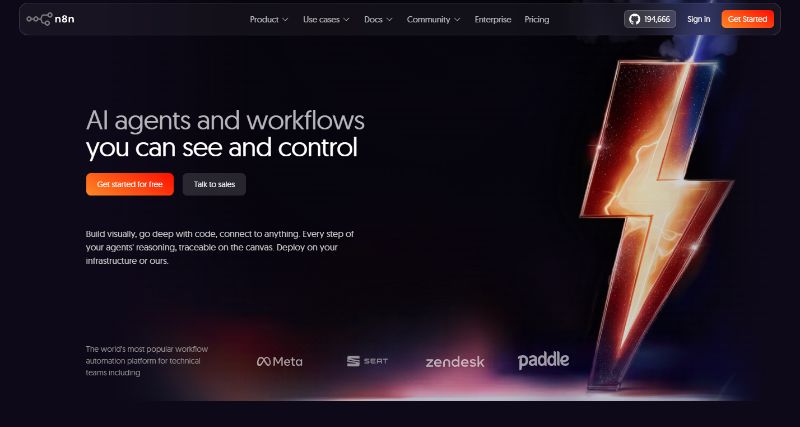
At its core, n8n is a workflow automation platform that lets you connect APIs, databases, SaaS apps, and AI models, then control how data flows between them. The product was built for technical teams that need more than simple if‑this‑then‑that triggers. A description on the G2 review site notes that n8n offers 500+ integrations, custom code flexibility, and self‑hosting options, allowing teams to build production‑ready workflows that bridge AI with real business processes. Another guide explains that the platform combines visual design with coding capabilities, making it suitable for both technical and non‑technical users. The name “n8n” comes from a numeronym for “nodemation”, reflecting its node‑based workflow canvas.
The appeal of n8n lies in the control it gives over automations. You can self‑host the platform to keep data on your infrastructure, avoid per‑task pricing, and avoid vendor lock‑in. Alternatively, you can use the cloud version managed by n8n for convenience. The platform is open source and has over 180 thousand GitHub stars, indicating a large and active community. In addition to hundreds of pre‑built nodes, you can write JavaScript or Python directly within workflows or build custom nodes via the CLI/SDK. This flexibility makes n8n popular among developers, AI engineers, operations teams, and technical marketers who need automation without artificial limits.
Core Features and Capabilities
n8n’s feature set revolves around giving you the freedom to build robust automations while still offering a visual editor. Below are the capabilities that set it apart in 2026.
Visual workflows with real logic
The workflow editor in n8n uses a node‑based canvas where each step is visible and testable. Unlike some automation tools that restrict you to linear trigger–action sequences, n8n lets you add IF/ELSE conditions, loops, parallel branches and fallback logic. Recent improvements introduced clearer execution logs and better debugging tools. A guide notes that the drag‑and‑drop interface scales from simple automations to deeply technical use cases, and it allows you to describe workflows in natural language via an AI Workflow Builder which auto‑generates a working flow that you can refine. The editor shows real‑time execution data next to node settings, helping you debug complex workflows quickly.
Self‑hosting and data control
One of n8n’s biggest differentiators is its support for self‑hosting. You can deploy the platform on your own server using Docker or Kubernetes, keep tokens and credentials in your environment, and customize authentication, logging, and system behavior. Self‑hosting is critical for teams handling sensitive data or operating under frameworks like HIPAA, GDPR, or SOC 2. The HatchWorks guide notes that self‑hosting allows organisations to maintain data residency, avoid routing data through third‑party clouds, and comply with security policies. Reviews also emphasise that self‑hosting offers unlimited workflow executions, making it unmatched on value for high‑volume automation. For teams without DevOps resources, the managed cloud service provides instant setup, maintenance, and backups, albeit with execution limits.
Built‑in AI & LLM capabilities
n8n has embraced AI‑native workflows. You can connect to providers like OpenAI, Anthropic, and Hugging Face and chain prompts, tools, and outputs in a single workflow. Native AI nodes allow you to store embeddings, build retrieval‑augmented generation (RAG) pipelines, and design AI agents with memory, tools, and guardrails. A comparison article notes that n8n integrated LangChain natively, making it the strongest choice for teams building multi‑agent AI pipelines. In the AI workflow builder, you can describe what you want in natural language, and the tool will generate the nodes, logic, and configuration needed. These capabilities make n8n popular among AI developers who need to orchestrate complex agent workflows.
Scalability and extensibility
The platform imposes no artificial limits on complexity. You can build long workflows with dozens of nodes, loops and conditional branches without incurring per‑step fees. In the pricing model, you pay for each workflow execution rather than each action or module, which can be a major cost advantage at scale. Moreover, n8n offers more than 400 modular nodes for services like Slack, PostgreSQL, OpenAI and S3, and you can create your own nodes when needed. Developers can write native JavaScript within function nodes or build custom nodes via the CLI and SDK. Git‑based versioning supports workflow review, rollback and CI/CD‑style releases, and custom plugins can remain private to your organisation. These features make n8n a fully extensible automation platform rather than a closed SaaS tool.
Pricing in 2026
n8n’s pricing has changed since its early days, but the 2026 model remains straightforward: unlimited users and unlimited workflows on every plan, with pricing based on the number of workflow executions rather than tasks or steps.
| Plan | Price (annual billing) | Included executions | Key features |
| Community (self‑hosted) | Free | Unlimited | Host n8n on your own server. Full control, unlimited executions and workflows. Requires managing infrastructure but offers the best ROI for high‑volume use cases. |
| Starter (cloud) | $20/mo | 2,500 workflow executions | Includes 1 shared project, 5 concurrent executions, unlimited users and 50 AI Workflow Builder credits. Ideal for individuals exploring n8n or running light automations. |
| Pro (cloud) | $50/mo | Custom execution volume | Adds 3 shared projects, 20 concurrent executions, 7 days of workflow insights, 150 AI Workflow Builder credits, admin roles and execution search. Suitable for small teams running production workflows. |
| Business (self‑hosted or cloud) | $800/mo | 40K executions | Designed for companies with <100 employees. Adds 6 shared projects, SSO/SAML/LDAP, 30 days of insights, version control and scaling options. Can be self‑hosted for full control. |
| Enterprise | Custom | Custom | Offers unlimited shared projects, 200+ concurrent executions, 365 days of insights, 1,000 AI Workflow Builder credits and dedicated support. Best for large organisations with strict governance requirements. |
The key differentiator is the self‑hosted community edition, which is free and supports unlimited executions. Reviews point out that some companies running 150,000+ monthly executions on self‑hosted n8n pay only for the server infrastructure (about $50/month), whereas alternative automation tools would cost hundreds or thousands in subscription fees. However, self‑hosting requires someone comfortable with Docker, databases and backups, so cloud plans remain attractive for teams without DevOps resources.
Community and Ecosystem
n8n’s open model has fostered a thriving ecosystem. The platform has over 180,000 GitHub stars and an active community that contributes nodes, templates and support. An article notes that thousands of shared workflow templates are available and that users can import additional templates from GitHub. The community forums and Discord groups provide quick answers, and there is a marketplace of user‑contributed nodes and templates. Documentation is extensive, and the roadmap and changelogs are transparent.
In terms of integrations, sources vary: n8n advertises over 500 integrations, Hack’celeration’s review counted 400+ pre‑configured nodes, while the same review reported 1,202 integrations across categories like AI, CRM, databases and communications. The difference stems from how nodes are packaged (some nodes bundle multiple operations). Regardless of the exact number, n8n supports all major apps and allows you to connect to any API via its HTTP Request node. The platform also offers more than 4,000 starter templates and a growing number of AI‑specific workflow templates.
Pros and Cons
Strengths
- Powerful and flexible: n8n supports complex logic, loops, error handling and long workflows without artificial limits. You can write JavaScript or Python and build custom nodes.
- Self‑hosting & data ownership: The free self‑hosted edition offers unlimited executions and keeps data inside your infrastructure. Reviews note that this model saves companies thousands in subscription fees.
- AI & LLM ready: Native connectors for OpenAI, Anthropic and others, an AI workflow builder and an AI agent builder make it ideal for modern AI pipelines.
- Open community and extensibility: A large community provides templates, nodes and support, and you can extend n8n via its CLI/SDK and Git-based workflows.
Weaknesses
- Learning curve: Several reviews report that the UI can feel intimidating at first, and advanced features require knowledge of APIs and JavaScript. A junior team member needed about three hours to feel comfortable.
- DevOps overhead: Self‑hosting demands experience with Docker, databases and backups. Without this expertise, you might prefer the managed cloud service.
- Interface not optimised for beginners: While the drag‑and‑drop editor is intuitive for automation builders, it isn’t as “set it in 2 minutes” as some entry‑level tools.
- Support varies by plan: Hack’celeration’s review noted that only Pro and higher tiers offer email support with 48‑hour response times; lower tiers rely on community forums. Troubleshooting complex self‑hosted issues often requires exploring GitHub issues.
Real‑World Use Cases
n8n is used across industries to automate processes, synchronize data and embed AI into workflows. Some typical applications include:
Internal operations
Ops teams use n8n to automate employee onboarding, support ticket routing, and offboarding. A guide notes that automations can create accounts, assign tasks, open helpdesk tickets and notify stakeholders from a single workflow. Support flows can auto‑tag issues, route tickets based on type, and trigger escalations. By reducing manual steps, teams eliminate repetitive work and improve response times.
Marketing and CRM sync
Marketing teams use n8n to connect web forms, CRMs, enrichment tools and communication platforms. For example, after a lead submission, n8n can enrich the lead via an external API, score it using business logic, then route it into a CRM with tags that drive follow‑up sequences. n8n’s HTTP Request node and webhook triggers also enable two‑way synchronization between systems to keep contacts, deals and marketing lists consistent.
AI‑driven workflows
AI builders leverage n8n to create agentic workflows that combine language models with business logic. For instance, you might build a pipeline where an incoming email is summarised by an LLM, sentiment is analysed, and follow‑up actions are triggered based on the sentiment. Another example involves generating social posts from RSS news items and using RAG to craft replies referencing podcast transcripts. These workflows illustrate how n8n allows teams to orchestrate AI across different services without writing a full backend.
Data engineering and DevOps
Technical teams use n8n as a glue layer for orchestrating data pipelines, connecting databases, file storage and microservices. Its support for PostgreSQL, S3, Redis and RabbitMQ, along with CLI‑based deployment and version control, makes it suitable for DevOps workflows. Teams can build modular subflows, trigger jobs via webhooks or message queues, and manage workflows like code using Git.
Limitations and Considerations
Despite its power, n8n isn’t the perfect tool for everyone. The learning curve means that teams looking for quick, out‑of‑the‑box automations may feel overwhelmed. Some users noted that the interface assumes familiarity with APIs; configuring HTTP Request nodes requires understanding headers, authentication and JSON responses. While the visual editor is intuitive, it has more of a developer feel than some consumer tools. If your team lacks technical expertise, other platforms may get you started faster but with less depth.
Self‑hosting brings its own challenges. You need to manage infrastructure, backups and updates. Support for free users is community‑driven and not guaranteed, and even paid support has response times measured in days. Lower cloud tiers include limits on concurrent executions and saved executions; high‑volume teams may need to monitor usage or upgrade plans. Finally, because n8n is open source, new features and security patches depend on community and company contributions — a double‑edged sword that requires paying attention to releases.
Final Verdict: Is n8n Worth It in 2026?
n8n stands out in 2026 as one of the most flexible automation platforms available. Its fair‑code model and self‑hosting option provide unmatched control over data, security and costs. Unlimited users and workflows, combined with pricing based on workflow executions rather than steps, make it cost‑effective for high‑volume use cases. The ability to embed code, build custom nodes and integrate AI agents positions n8n as a platform for technical teams who want to orchestrate complex, intelligent workflows.
However, n8n is not the easiest tool for beginners. The learning curve and the need for API knowledge mean it’s best suited to developers, DevOps engineers, technical marketers and operations teams comfortable with logic and coding. Teams that only need one or two simple automations may find simpler tools more approachable. Support also varies by plan, and self‑hosting requires DevOps resources.
Bottom line: If you want real automation — not just shortcuts — and are willing to invest in learning and infrastructure, n8n offers a powerful, scalable and cost‑effective platform for 2026 and beyond. It rewards people who think in systems rather than clicks and frees you from the price escalators of pay‑per‑step automation. For technical teams building AI‑enabled processes or orchestrating complex workflows, n8n is a compelling choice. For non‑technical users seeking instant results, other options may be more accessible, but they often lack the power, ownership and long‑term value that n8n provides.