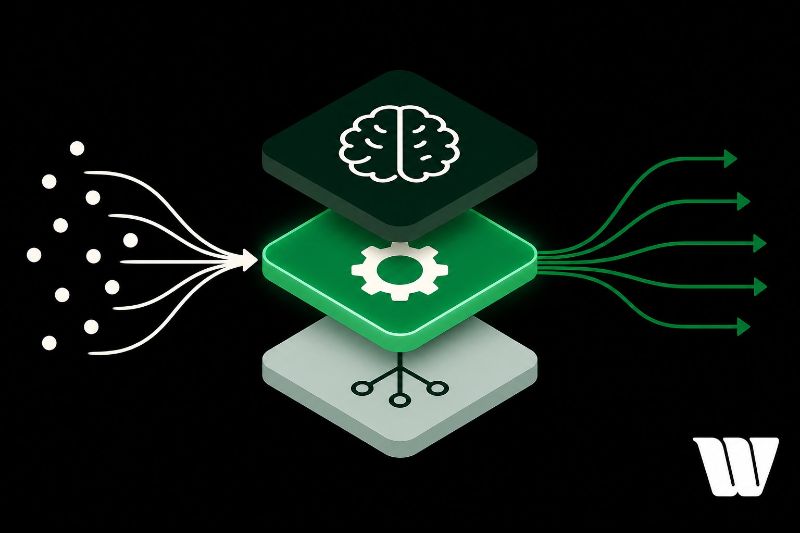
The automation layer is what turns your AI's decisions into real actions without constant human input. It's the operational backbone of any AI system, made up of input handlers, logic engines, action executors, and feedback loops. It connects to external systems via APIs and webhooks, handles task scheduling, and responds to dynamic triggers. Understanding its core components and failure points will sharpen how you design and deploy it effectively.
Key Takeaways
- The automation layer executes tasks and workflows without human input, acting as the operational backbone of any AI system.
- It consists of four core components: input handlers, logic engines, action executors, and feedback loops.
- Task scheduling and event triggering are the two primary mechanisms that control when and how workflows execute.
- The automation layer connects AI decisions to real-world actions through APIs, webhooks, and robotic process automation.
- Building one requires defining integration boundaries, mapping trigger points, and establishing fallback logic for failures.
What Is the Automation Layer in AI Systems?
The automation layer is the component of an AI system that executes tasks, decisions, and workflows without requiring direct human input at each step. It sits between raw data inputs and actionable outputs, coordinating logic, rules, and machine learning models to drive consistent, scalable operations.
You can think of it as the system's operational backbone. Its automation significance becomes clear when you consider how it removes bottlenecks, reduces manual errors, and accelerates throughput across complex pipelines. Without it, AI systems would demand constant human oversight, defeating their core purpose.
Layer optimization guarantees the automation layer performs efficiently under varying workloads. You achieve this by fine-tuning task scheduling, resource allocation, and decision thresholds.
A well-optimized layer delivers reliable, high-speed execution while maintaining accuracy and adaptability across changing operational conditions.
What's Actually Inside an Automation Layer?
When you look inside an automation layer, you'll find two foundational elements driving its functionality: core structural components and key automation mechanisms.
The structural components include orchestrators, task queues, state managers, and API connectors that form the skeleton of the system.
The automation mechanisms—such as trigger logic, decision trees, and feedback loops—are what animate that skeleton, translating inputs into coordinated, executable actions.
Core Structural Components
Beneath the surface of any automation layer lies a set of interlocking components that work together to receive inputs, process decisions, and execute actions without human intervention.
You'll find four primary elements: an input handler, a logic engine, an action executor, and a feedback loop. The input handler manages data integration across sources, normalizing incoming signals before passing them forward.
The logic engine applies predefined or learned rules to determine the appropriate response. The action executor then triggers downstream processes, tools, or APIs accordingly.
Finally, the feedback loop captures outcomes and feeds them back into the system for process optimization. Together, these components form a closed-cycle architecture that reduces manual touchpoints, maintains consistency, and enables the automation layer to scale efficiently across complex AI-driven workflows.
Key Automation Mechanisms
Once you understand the structural components of an automation layer, you can examine the specific mechanisms that bring those components to life.
Two mechanisms drive most automation layer functionality: task scheduling and event triggering.
Task scheduling lets you define when and how often specific operations execute. You configure time-based rules that dispatch processes automatically, eliminating manual intervention.
Event triggering activates workflows in response to system conditions rather than fixed times. When a data threshold is crossed or an API call completes, the trigger fires the corresponding process immediately.
Together, these mechanisms give you precise control over workflow execution.
Task scheduling handles predictable, recurring operations. Event triggering manages dynamic, condition-based responses.
Understanding both lets you design automation layers that respond intelligently to both time and system state.
How the Automation Layer Connects AI to the Real World
The automation layer serves as the critical bridge that transforms AI-generated decisions into tangible, real-world actions. It connects your AI system to external environments through APIs, webhooks, and system integrations, enabling seamless real-world integration across diverse platforms.
You'll find practical applications spanning multiple domains: robotic process automation executing repetitive workflows, IoT sensors triggering physical responses, and cloud-based services processing transactions autonomously. The layer translates abstract AI outputs into executable commands that machines, software systems, and physical devices understand.
Your automation layer also handles bidirectional communication—it doesn't just send commands; it receives feedback from real-world systems, allowing continuous performance refinement.
How the Automation Layer Turns AI Decisions Into Real Actions
When an AI system reaches a decision, your automation layer immediately converts that output into machine-executable instructions through a structured, multi-step process.
Decision execution begins when the layer parses the AI's output, validates it against predefined parameters, and maps it to specific executable commands. Each command targets a designated system component, API endpoint, or physical actuator.
Action orchestration then sequences these commands in the correct operational order, managing dependencies between tasks and synchronizing parallel processes.
Your automation layer monitors execution status in real time, triggering fallback protocols if failures occur. It also logs each step, creating an auditable decision trail.
This pipeline transforms abstract AI reasoning into concrete, measurable outcomes—whether that's sending an alert, adjusting system settings, or initiating a robotic movement.
How to Build Your First Automation Layer Step by Step
Building your first automation layer requires translating that execution pipeline into working infrastructure, and the starting point is defining your integration boundaries.
You'll need to identify which systems your AI outputs must reach and which automation tools, like Zapier, n8n, or custom APIs, best fit your architecture.
Follow these integration strategies to structure your build:
- Map trigger points: Define exactly where AI decisions hand off to automated actions
- Establish fallback logic: Build conditional branches that handle failed executions without breaking the pipeline
- Validate data contracts: Confirm that output schemas from your AI match the input requirements of downstream systems
Once you've connected these components, test each integration independently before running end-to-end workflows.
Incremental validation prevents cascading failures and keeps your automation layer stable under real operational conditions.
Why Most Automation Layers Fail
Most automation layers don't fail because of bad AI models or poor tool selection—they fail because the integration logic between components is brittle. When you wire tools together without error handling, a single API failure cascades into a broken pipeline. These integration issues compound quickly at scale.
Scalability concerns emerge when your automation handles ten tasks fine but collapses under a thousand. You've likely hardcoded assumptions that don't hold under load.
Data quality is another silent killer—your automation trusts whatever input it receives, and garbage in guarantees garbage out.
Automation challenges also arise from over-engineering early. You add complexity before proving the simple version works.
To avoid failure, validate each component independently, enforce strict input schemas, and build observability in from the start—not as an afterthought.
Frequently Asked Questions
What Industries Benefit Most From Implementing an Automation Layer?
You'll find the most benefit in manufacturing efficiency, healthcare optimization, retail analytics, finance streamlining, logistics management, customer service, agriculture automation, and energy consumption—where automation layers dramatically reduce errors, accelerate decisions, and maximize operational output.
How Much Does Building an Automation Layer Typically Cost?
Building an automation layer typically costs $10,000–$500,000+, depending on complexity. You'll need to evaluate cost factors like infrastructure, talent, and tools. Smart budgeting strategies help you allocate resources efficiently and avoid unexpected overruns.
What Certifications or Skills Are Needed to Manage Automation Layers?
To manage automation layers, you'll need certification pathways like AWS, Azure, or Google Cloud credentials. Essential skills include Python scripting, API integration, system architecture knowledge, and DevOps practices to effectively design, deploy, and maintain robust automation systems.
How Does the Automation Layer Handle Data Privacy and Security Compliance?
You'll find the automation layer handles data privacy by enforcing data encryption at rest and in transit, while continuously monitoring and auditing processes to guarantee adherence to compliance regulations like GDPR and HIPAA automatically.
Can Small Businesses Realistically Implement an Automation Layer Affordably?
You can implement an automation layer affordably using cost-effective solutions like cloud-based platforms with pay-as-you-go pricing. However, you'll face scalability challenges as your business grows, requiring careful planning to avoid unexpected infrastructure costs.
Conclusion
You've now seen how the automation layer bridges AI intelligence and real-world execution. It's not just a pipeline—it's the operational backbone that transforms decisions into actions. Build it with clear triggers, reliable connectors, and solid error handling. Without these foundations, your system will break under pressure. Prioritize modularity, monitor every integration point, and test failure scenarios before deployment. The automation layer determines whether your AI system actually delivers value or simply generates unused output.